The best 2-bay NAS in Canada
 By Ryan Fournier · Reviewed by Claire Bergeron · Updated · Prices checked
 For a two-bay NAS in Canada, the Synology DS224+ is the simplest, most polished pick; the UGREEN NASync DXP2800 gives more hardware and Plex hardware transcoding for the money. Remember that two bays means RAID 1: you pay half your capacity for redundancy, so 2 × 8 TB gives 8 TB usable, not 16. Two-bay units suit backups, a light home cloud and Time Machine, not large media arrays.
The verdict: which should you buy?
What two bays can and cannot do
With two drives, the only sensible protected layout is RAID 1 (or SHR with two drives, which is the same maths): the drives mirror each other, so usable capacity equals one drive and you survive one failure. RAID 5 needs three drives and is not available. That makes a two-bay NAS ideal for backups, documents and a modest media collection, but limiting for a large library: for that, four bays keep three-quarters of the capacity instead of half.
The picks
- Synology DS224+; the best-selling two-bay: DSM software, SHR, hardware-accelerated Plex on its Celeron (limited by RAM). The simplest choice.
- UGREEN NASync DXP2800: an Intel N100 with Quick Sync for 4K Plex transcoding, two NVMe slots and 2.5GbE; more capable hardware, younger software, no SHR.
- QNAP TS-264: for a tinkerer wanting NVMe, 2.5GbE and PCIe expansion in two bays.
Buying in Canada
Canadians cross-shop Amazon.ca, Best Buy Canada, Canada Computers, Newegg.ca and Memory Express; the cheapest SKU moves between them, and we track Amazon.ca live in CAD as the baseline. It is worth a two-minute check across those before you buy a drive or a NAS.
On importing from Amazon.com: it rarely beats a local CAD price once you add exchange, any duty, brokerage and the harder path to a warranty claim or return. The exchange rate is not a penalty: the honest point is total landed cost plus how much easier a return or RMA is when you bought it in Canada. For a drive that will run 24/7 for years, local warranty support is worth real money.
As an Amazon Associate we earn from qualifying purchases on Amazon.ca.
NAS drives on Amazon.ca by CA$/TB
Whichever model you choose, it needs CMR NAS drives rated for 24/7 use. These are the current best value per terabyte, live from Amazon.ca in Canadian dollars.
| Model | Capacity | Recording | Price | CA$/raw TB | |
|---|---|---|---|---|---|
 Western Digital 20TB WD Red Pro NAS Internal Hard Drive HDD - 7200 RPM, SATA 6 Gb/s, CMR, 512 MB Cache, 3.5" - WD202KFGXNewbest price per TB CMR recording, SATA NAS drive rated for 24/7 use Amazon.ca · sold by Amazon.ca · one bare internal drive; shipping and taxes not included · checked Oct 15, 2026CA$1,201Buy on Amazon | 20 TB | CMR ✓ | CA$1,201 | CA$60.03/TB | Buy on Amazon |
 Western Digital 22TB WD Red Pro NAS Internal Hard Drive HDD - 7200 RPM, SATA 6 Gb/s, CMR, 512 MB Cache, 3.5" - WD221KFGXNew CMR recording, SATA NAS drive rated for 24/7 use Amazon.ca · sold by Amazon US · one bare internal drive; shipping and taxes not included · checked Oct 15, 2026 · ships from the US through Amazon.caCA$1,452Buy on Amazon | 22 TB | CMR ✓ | CA$1,452 | CA$66.00/TB | Buy on Amazon |
 Western Digital 16TB WD Red Pro NAS Internal Hard Drive HDD - 7200 RPM, SATA 6 Gb/s, CMR, 256 MB Cache, 3.5" - WD161KFGXNew CMR recording, SATA NAS drive rated for 24/7 use Amazon.ca · sold by Amazon.ca · one bare internal drive; shipping and taxes not included · checked Oct 15, 2026CA$1,060Buy on Amazon | 16 TB | CMR ✓ | CA$1,060 | CA$66.25/TB | Buy on Amazon |
 Seagate IronWolf Pro 14TB Enterprise NAS Internal HDD Hard Drive – CMR 3.5 Inch SATA 6Gb/s 7200 RPM 256MB Cache for RAID Network Attached Storage, Rescue Services - FFP (ST14000NTZ01)New CMR recording, SATA NAS drive rated for 24/7 use Amazon.ca · sold by Deals2You · one bare internal drive; shipping and taxes not included · checked Oct 15, 2026CA$930Buy on Amazon | 14 TB | CMR ✓ | CA$930 | CA$66.43/TB | Buy on Amazon |
 Western Digital 12TB WD Red Pro NAS Internal Hard Drive HDD - 7200 RPM, SATA 6 Gb/s, CMR, 512 MB Cache, 3.5" - WD122KFBXNew CMR recording, SATA NAS drive rated for 24/7 use Amazon.ca · sold by Amazon US · one bare internal drive; shipping and taxes not included · checked Oct 15, 2026 · ships from the US through Amazon.caCA$815Buy on Amazon | 12 TB | CMR ✓ | CA$815 | CA$67.94/TB | Buy on Amazon |
 Western Digital 4TB WD Red Plus NAS Internal Hard Drive HDD - 5400 RPM, SATA 6 Gb/s, CMR, 128 MB Cache, 3.5" - WD40EFZZNew CMR recording, SATA NAS drive rated for 24/7 use Amazon.ca · sold by Amazon.ca · one bare internal drive; shipping and taxes not included · checked Oct 15, 2026CA$275Buy on Amazon | 4 TB | CMR ✓ | CA$275 | CA$68.75/TB | Buy on Amazon |
 HD 18TB N300 PRO NAS 3.5 in 7200RPM SATA III TOSHIBA HDWG81JXZSTBNew CMR recording, SATA NAS drive rated for 24/7 use Amazon.ca · sold by Canada Direct - Often Ships Same Day! · one bare internal drive; shipping and taxes not included · checked Oct 15, 2026CA$1,253Buy on Amazon | 18 TB | CMR ✓ | CA$1,253 | CA$69.61/TB | Buy on Amazon |
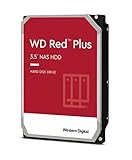 Western Digital 3TB WD Red Plus NAS Internal Hard Drive HDD - 5400 RPM, SATA 6 Gb/s, CMR, 256 MB Cache, 3.5" -WD30EFPXNew CMR recording, SATA NAS drive rated for 24/7 use Amazon.ca · sold by Generic Computer · one bare internal drive; shipping and taxes not included · checked Oct 15, 2026CA$210Buy on Amazon | 3 TB | CMR ✓ | CA$210 | CA$70.00/TB | Buy on Amazon |
 Seagate IRONWOLF 6TB NAS 3.5IN 6GB/S SATA 256MBNew CMR recording, SATA NAS drive rated for 24/7 use Amazon.ca · sold by Compute4Less Corp · one bare internal drive; shipping and taxes not included · checked Oct 15, 2026CA$423Buy on Amazon | 6 TB | CMR ✓ | CA$423 | CA$70.50/TB | Buy on Amazon |
 Western Digital 24TB WD Red Pro NAS Internal Hard Drive HDD - 7200 RPM, SATA 6 Gb/s, CMR, 512 MB Cache, 3.5" - WD241KFGXNew CMR recording, SATA NAS drive rated for 24/7 use Amazon.ca · sold by Amazon US · one bare internal drive; shipping and taxes not included · checked Oct 15, 2026 · ships from the US through Amazon.caCA$1,697Buy on Amazon | 24 TB | CMR ✓ | CA$1,697 | CA$70.71/TB | Buy on Amazon |
 HD 14TB N300 PRO NAS 3.5 in 7200RPM SATA III TOSHIBA HDWG81EXZSTBNew CMR recording, SATA NAS drive rated for 24/7 use Amazon.ca · sold by Canada Direct - Often Ships Same Day! · one bare internal drive; shipping and taxes not included · checked Oct 15, 2026CA$992Buy on Amazon | 14 TB | CMR ✓ | CA$992 | CA$70.87/TB | Buy on Amazon |
 Toshiba N300 PRO 8TB Large-Sized Business NAS (up to 24 Bays) 3.5-Inch Internal Hard Drive - Up to 300 TB/Year Workload Rate CMR SATA 6 GB/s 7200 RPM 512 MB Cache - HDWG780XZSTBNew CMR recording, SATA NAS drive rated for 24/7 use Amazon.ca · sold by OneDealOutlet Canada · one bare internal drive; shipping and taxes not included · checked Oct 15, 2026CA$572Buy on Amazon | 8 TB | CMR ✓ | CA$572 | CA$71.51/TB | Buy on Amazon |
Read more
- Best budget NAS
- Best NAS under $500 (honest)
- Best 4-bay NAS in Canada
- DS224+ capacity calculator
- How many drives do I need?
Frequently asked questions
What is the best 2-bay NAS in Canada?
The Synology DS224+ for the simplest, most polished experience, or the UGREEN NASync DXP2800 for more hardware and Plex hardware transcoding per dollar. Both suit backups and a light home cloud; two bays means RAID 1.
How much usable space in a 2-bay NAS?
In RAID 1 (the sensible protected layout for two bays), usable capacity equals one drive (2 × 8 TB gives 8 TB usable, not 16) and you survive one drive failing. For more capacity per dollar with redundancy, you need four bays.
Is a 2-bay NAS enough?
For backups, documents, Time Machine and a modest media collection, yes. For a large media library or lots of containers, four bays are the better balance of capacity and redundancy.
Ryan Fournier covers home-server hardware and efficiency at nasdrives.ca: the right power supply, the UPS, and what a NAS actually draws running around the clock, priced against Canadian hydro rates.
 Reviewed by Claire Bergeron, Editor-in-chief