Build your own NAS: a Canadian parts-and-cost guide
 By Ryan Fournier · Reviewed by Claire Bergeron · Updated · Prices checked
 A solid DIY NAS is a mini-ITX board with a soldered Intel N100, 16 GB of SO-DIMM, a small boot SSD, a four-to-six-bay case, an 80 Plus power supply and CMR drives. Without drives it lands around CA$450 to CA$650 in Canada, and it goes together in an afternoon. Build your own when you want more CPU and RAM per dollar than a prebuilt, or you want ZFS with ECC; buy a Synology or UGREEN when you want finished apps and vendor support.
The parts, and why each one
 JONSBO N4 Black NAS Pc Case, Walnut Wood, 8-Drive Bay/6 * 3.5 "HDD (4 hot-swap,2 Non hot-swap),2 * 2.5SSD,Micro ATX Chassis, USB3.2Gen2Type-C, 1x120mm Fan Built-in, Black
 be quiet! Pure Power 12 750W Gaming PSU, 80 Plus Gold, ATX 3.1, 12V-Rail
Known subtotal: CA$286 · prices verified for 2 of 6 required parts; not priced: Board with CPU, Memory, Boot drive, Drives
A NAS runs 24/7, and that changes every buying decision: a part that draws 20 extra watts costs you real money on the hydro bill every year (see the power-cost guide below), and a drive that would be unremarkable in a desktop can collapse during a parity rebuild. Pick for low idle draw and for CMR.
Board with CPU: a board with a soldered Intel N100 is the 2026 default for a home NAS: 6 W TDP, four cores, and most boards bring six SATA ports from the chipset. Board, memory and boot drive together idle around 10 to 15 W. Budget CA$180 to CA$260 in Canada.
Memory: the N100 takes a single SO-DIMM (DDR4 or DDR5, board-dependent), officially to 16 GB. ECC is not available on the N100. 16 GB runs a file NAS with Docker comfortably.
Boot drive: a small SATA or NVMe SSD, 128 to 256 GB. Do not boot from a USB stick: TrueNAS SCALE no longer supports it well and sticks die under constant writes.
Case: the widest price spread. A plain tower for four to six 3.5-inch drives runs CA$90 to CA$140; a compact NAS case with hot-swap trays quickly hits CA$200. Look for decoupled drive cages and a slow 120 mm fan in front of the drives.
Power supply: 350 to 450 W is plenty even for six drives. What matters is efficiency at low load, since the box draws only 40 to 60 W continuously: an 80 Plus Gold unit is worth it here.
Drives: CMR NAS drives, sized with the calculator. This is the biggest line item at higher capacities, so it is the number to optimize.
When DIY wins, and when it does not
DIY wins on hardware per dollar: an N100 build gives you more CPU, more RAM headroom and standard, replaceable parts than a prebuilt in the same price band. Two separate questions often get merged here. ZFS (TrueNAS) runs on an N100. ECC memory does not: Intel lists ECC support for the N100 as No. If you want ECC, choose a platform that supports it, such as an Intel Xeon E or a Ryzen board with ECC support, or a Synology DS925+ or DS923+, which ship with ECC memory; the ECC RAM guide covers when it is worth it.
A prebuilt wins on time and support. A Synology arrives, you run the setup wizard, and you never think about it again; DSM's app ecosystem (Photos, Drive, Surveillance Station) is genuinely good and has no DIY equal without assembling it yourself. If you value a finished product over a project, buy one: the prebuilt-vs-DIY comparison runs the numbers.
Buying the parts in Canada
Canadians cross-shop Amazon.ca, Canada Computers, Newegg.ca, Memory Express and Best Buy Canada. The cheapest N100 boards and cases tend to sit on Amazon.ca and Newegg.ca; Canada Computers and Memory Express are often better for a PSU or a case you want to see in person. We track Amazon.ca live as the baseline.
On importing from Amazon.com: for a NAS build it rarely pays. Once you add exchange, duty on some categories, brokerage and the harder path to a warranty claim or return, the landed cost usually matches or beats a local CAD price, and a dead PSU is far easier to replace when you bought it in Canada. The exchange rate is not a penalty; the point is total landed cost plus local support.
As an Amazon Associate we earn from qualifying purchases on Amazon.ca.
NAS drives on Amazon.ca by CA$/TB
Whichever model you choose, it needs CMR NAS drives rated for 24/7 use. These are the current best value per terabyte, live from Amazon.ca in Canadian dollars.
| Model | Capacity | Recording | Price | CA$/raw TB | |
|---|---|---|---|---|---|
 Western Digital 20TB WD Red Pro NAS Internal Hard Drive HDD - 7200 RPM, SATA 6 Gb/s, CMR, 512 MB Cache, 3.5" - WD202KFGXNewbest price per TB CMR recording, SATA NAS drive rated for 24/7 use Amazon.ca · sold by Amazon.ca · one bare internal drive; shipping and taxes not included · checked Oct 15, 2026CA$1,201Buy on Amazon | 20 TB | CMR ✓ | CA$1,201 | CA$60.03/TB | Buy on Amazon |
 Western Digital 22TB WD Red Pro NAS Internal Hard Drive HDD - 7200 RPM, SATA 6 Gb/s, CMR, 512 MB Cache, 3.5" - WD221KFGXNew CMR recording, SATA NAS drive rated for 24/7 use Amazon.ca · sold by Amazon US · one bare internal drive; shipping and taxes not included · checked Oct 15, 2026 · ships from the US through Amazon.caCA$1,452Buy on Amazon | 22 TB | CMR ✓ | CA$1,452 | CA$66.00/TB | Buy on Amazon |
 Western Digital 16TB WD Red Pro NAS Internal Hard Drive HDD - 7200 RPM, SATA 6 Gb/s, CMR, 256 MB Cache, 3.5" - WD161KFGXNew CMR recording, SATA NAS drive rated for 24/7 use Amazon.ca · sold by Amazon.ca · one bare internal drive; shipping and taxes not included · checked Oct 15, 2026CA$1,060Buy on Amazon | 16 TB | CMR ✓ | CA$1,060 | CA$66.25/TB | Buy on Amazon |
 Seagate IronWolf Pro 14TB Enterprise NAS Internal HDD Hard Drive – CMR 3.5 Inch SATA 6Gb/s 7200 RPM 256MB Cache for RAID Network Attached Storage, Rescue Services - FFP (ST14000NTZ01)New CMR recording, SATA NAS drive rated for 24/7 use Amazon.ca · sold by Deals2You · one bare internal drive; shipping and taxes not included · checked Oct 15, 2026CA$930Buy on Amazon | 14 TB | CMR ✓ | CA$930 | CA$66.43/TB | Buy on Amazon |
 Western Digital 12TB WD Red Pro NAS Internal Hard Drive HDD - 7200 RPM, SATA 6 Gb/s, CMR, 512 MB Cache, 3.5" - WD122KFBXNew CMR recording, SATA NAS drive rated for 24/7 use Amazon.ca · sold by Amazon US · one bare internal drive; shipping and taxes not included · checked Oct 15, 2026 · ships from the US through Amazon.caCA$815Buy on Amazon | 12 TB | CMR ✓ | CA$815 | CA$67.94/TB | Buy on Amazon |
 Western Digital 4TB WD Red Plus NAS Internal Hard Drive HDD - 5400 RPM, SATA 6 Gb/s, CMR, 128 MB Cache, 3.5" - WD40EFZZNew CMR recording, SATA NAS drive rated for 24/7 use Amazon.ca · sold by Amazon.ca · one bare internal drive; shipping and taxes not included · checked Oct 15, 2026CA$275Buy on Amazon | 4 TB | CMR ✓ | CA$275 | CA$68.75/TB | Buy on Amazon |
 HD 18TB N300 PRO NAS 3.5 in 7200RPM SATA III TOSHIBA HDWG81JXZSTBNew CMR recording, SATA NAS drive rated for 24/7 use Amazon.ca · sold by Canada Direct - Often Ships Same Day! · one bare internal drive; shipping and taxes not included · checked Oct 15, 2026CA$1,253Buy on Amazon | 18 TB | CMR ✓ | CA$1,253 | CA$69.61/TB | Buy on Amazon |
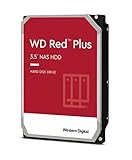 Western Digital 3TB WD Red Plus NAS Internal Hard Drive HDD - 5400 RPM, SATA 6 Gb/s, CMR, 256 MB Cache, 3.5" -WD30EFPXNew CMR recording, SATA NAS drive rated for 24/7 use Amazon.ca · sold by Generic Computer · one bare internal drive; shipping and taxes not included · checked Oct 15, 2026CA$210Buy on Amazon | 3 TB | CMR ✓ | CA$210 | CA$70.00/TB | Buy on Amazon |
 Seagate IRONWOLF 6TB NAS 3.5IN 6GB/S SATA 256MBNew CMR recording, SATA NAS drive rated for 24/7 use Amazon.ca · sold by Compute4Less Corp · one bare internal drive; shipping and taxes not included · checked Oct 15, 2026CA$423Buy on Amazon | 6 TB | CMR ✓ | CA$423 | CA$70.50/TB | Buy on Amazon |
 Western Digital 24TB WD Red Pro NAS Internal Hard Drive HDD - 7200 RPM, SATA 6 Gb/s, CMR, 512 MB Cache, 3.5" - WD241KFGXNew CMR recording, SATA NAS drive rated for 24/7 use Amazon.ca · sold by Amazon US · one bare internal drive; shipping and taxes not included · checked Oct 15, 2026 · ships from the US through Amazon.caCA$1,697Buy on Amazon | 24 TB | CMR ✓ | CA$1,697 | CA$70.71/TB | Buy on Amazon |
 HD 14TB N300 PRO NAS 3.5 in 7200RPM SATA III TOSHIBA HDWG81EXZSTBNew CMR recording, SATA NAS drive rated for 24/7 use Amazon.ca · sold by Canada Direct - Often Ships Same Day! · one bare internal drive; shipping and taxes not included · checked Oct 15, 2026CA$992Buy on Amazon | 14 TB | CMR ✓ | CA$992 | CA$70.87/TB | Buy on Amazon |
 Toshiba N300 PRO 8TB Large-Sized Business NAS (up to 24 Bays) 3.5-Inch Internal Hard Drive - Up to 300 TB/Year Workload Rate CMR SATA 6 GB/s 7200 RPM 512 MB Cache - HDWG780XZSTBNew CMR recording, SATA NAS drive rated for 24/7 use Amazon.ca · sold by OneDealOutlet Canada · one bare internal drive; shipping and taxes not included · checked Oct 15, 2026CA$572Buy on Amazon | 8 TB | CMR ✓ | CA$572 | CA$71.51/TB | Buy on Amazon |
Step by step
- Fit the boot SSD and memory. Seat the SO-DIMM and the boot SSD on the board before it goes in the case: it is far easier on the bench.
- Mount the board and PSU. Install the board on its standoffs and the PSU in its bracket; route the SATA power cables toward the drive cage.
- Install the drives. Mount your CMR drives in the decoupled cages and connect SATA data to the chipset ports, one drive at a time.
- Install the OS. Flash TrueNAS SCALE or Unraid to a USB installer, boot from it, and install to the boot SSD, not to a data drive.
- Create the pool. In the OS, create your pool at the RAID/RAID-Z level you sized in the calculator, then set up shares and a backup task.
Read more
- The N100 build with a full parts list and total
- Prebuilt vs DIY: the Canadian cost comparison
- What a NAS costs to run by province
- TrueNAS hardware guide (ECC, RAM)
Frequently asked questions
How much does it cost to build a NAS in Canada?
An N100 build lands around CA$450 to CA$650 without drives, then the CMR drives on top (the larger cost at higher capacities). That is a little less than a comparable prebuilt four-bay, with more CPU and RAM headroom for the money.
What is the best CPU for a DIY NAS?
For most homes, a soldered Intel N100: 6 W, four cores, Quick Sync for Plex transcoding, and six SATA ports on most boards. Step up to a Pentium, Core-i or Ryzen only for heavy virtualization or ECC (the N100 has no ECC).
Is building a NAS hard?
No harder than building a small PC, and there is no overclocking or tuning. Seat the RAM and boot SSD, mount the board, PSU and drives, install TrueNAS or Unraid, and create the pool: an afternoon's work.
Ryan Fournier covers home-server hardware and efficiency at nasdrives.ca: the right power supply, the UPS, and what a NAS actually draws running around the clock, priced against Canadian hydro rates.
 Reviewed by Claire Bergeron, Editor-in-chief