RAID Calculator: usable capacity, fault tolerance and cost
 By Devin Chua · Data checked by Owen Nakamura · Updated · Prices checked
 With 4 × 8 TB in SHR you keep about 21.8 TiB usable (24 TB in drive-maker terms), you survive one drive failing, and 8 TB goes to parity. The same holds for RAID 5, because with equal-size drives SHR and RAID 5 compute identically. They only diverge with mixed drive sizes: RAID 5 sizes to the smallest drive, while SHR uses the surplus on the larger ones. Set your drives below and the calculator shows every type side by side, with the cost to fill in Canadian dollars.
As an Amazon Associate we earn from qualifying purchases on Amazon.ca.
Not sure which NAS and drives to buy? Build a complete NAS recommendation with the capacity, RAID level, drives, UPS and Canadian shopping list worked out together.
SHR (Synology Hybrid RAID)
That is 24 TB the way drive makers label capacity. Your NAS shows you the smaller number because it counts in powers of two.
Drives: from CA$2,288 for 4 × 8 TB (CA$71.51/TB overall)
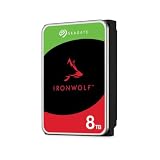
 Toshiba N300 PRO 8TB Large-Sized Business NAS (up to 24 Bays) 3.5-Inch Internal Hard Drive - Up to 300 TB/Year Workload Rate CMR SATA 6 GB/s 7200 RPM 512 MB Cache - HDWG780XZSTBCA$5728 TB · CA$71.51/TBBuy on Amazon


Why this calculator and not the vendor's
The vendor RAID calculators are locked to their own brand. Synology shows you SHR but no RAID-Z. UGREEN shows you standard RAID but no SHR, because UGOS Pro has no flexible RAID at all. Anyone weighing whether the premium for a Synology with SHR is worth it against a UGREEN with rigid RAID 5 has to open two calculators and compare the numbers by hand. This calculator does that for you: it shows every type for the same set of drives.
The second difference is honesty about units. Most calculators hand you a number in TB and let you believe that is the number you will see in the NAS. It is not. We show both, and we lead with usable capacity in TiB, because that is the figure you will actually read off the screen.
The formulas we compute
- RAID 0 and JBOD: the sum of all drives. No parity, no fault tolerance.
- RAID 1: the size of the smallest drive. Every other drive mirrors it.
- RAID 5: (count minus 1) × smallest drive. One drive may fail.
- RAID 6: (count minus 2) × smallest drive. Two drives may fail.
- RAID 10: (count divided by 2) × smallest drive. Needs an even number of drives.
- SHR: sum of all drives minus the largest drive. That is the key difference: SHR does not size to the smallest drive, it only subtracts the largest.
- SHR-2: sum of all drives minus the two largest.
Choose RAID 5 or SHR when …
… you have four bays, most of your data is replaceable (a media library, system images) and you need the space. You keep three quarters of the capacity and survive one drive failing. For the vast majority of homes this is the right call.
Choose RAID 6 or SHR-2 when …
… you use drives of about 16 TB and up, or you fill five or more bays. The reason is the rebuild: after a drive fails, the NAS has to read every remaining drive in full to repopulate the new one. With 20 TB drives that can take a full day or more, and the array is under its heaviest load exactly then. If a second drive fails during that window, RAID 5 loses everything. RAID 6 costs one more drive and removes precisely that risk.
Steer clear of RAID 0
RAID 0 appears in this calculator because the question keeps coming up, not because we recommend it. It spreads data across every drive without keeping a single copy. With four drives you quadruple the chance of total loss. In a NAS that runs around the clock, that is not a sensible configuration.
The point no calculator can replace
Whatever number lands below: RAID is not a backup. It protects against one drive failing and nothing else. Ransomware, an accidental delete or a lightning strike hits every drive in the NAS at once. Plan a second copy in another location before you think about the RAID level.
Which drives belong in it
Every RAID array wants CMR drives, not SMR ones. SMR drives collapse dramatically during a rebuild and can drag it out until it fails. If you are starting from a target capacity instead, the drive-count calculator works out how many drives you need. For TrueNAS and ZFS the RAID-Z calculator is the right tool, and for Unraid the Unraid calculator.
Frequently asked questions
How much storage is left with four 8 TB drives in SHR?
About 21.8 TiB. SHR subtracts the largest drive from the sum of all drives: 32 TB minus 8 TB is 24 TB. Because your NAS counts in powers of two, it shows those 24 TB as roughly 21.8 TiB. With four equal drives, SHR behaves exactly like RAID 5.
Why does my NAS show less space than the label on the drive?
Because the maker and the operating system count differently. A drive maker calls one trillion bytes (10 to the 12th) a terabyte. Your NAS counts in powers of two and calls 2 to the 40th bytes a TiB. The gap is about 9 percent: an 8 TB drive shows up as 7.28 TiB. Nothing is missing, it is just counted differently.
What is the difference between SHR and RAID 5?
With equal-size drives, none: both give the same usable capacity and both survive one drive failing. The difference only appears with mixed sizes. RAID 5 sizes to the smallest drive and leaves the surplus on larger drives unused; SHR uses it. If you have one 8 TB and two 4 TB drives, SHR gives you noticeably more space.
Is RAID a backup?
No, and it is the most expensive misunderstanding in storage. RAID protects against one drive failing and nothing else. It does not help against accidental deletion, ransomware, a lightning strike, theft or a filesystem error, because all of those hit every drive in the NAS at once. You still need a real backup in a second location.
Which RAID level should I pick with four bays?
For most homes, SHR or RAID 5: you give one drive to parity, survive one failure and keep three quarters of the capacity. If the NAS holds irreplaceable data or you use drives of 16 TB and up, RAID 6 or SHR-2 is the calmer choice, because large drives make the rebuild after a failure a nail-biter.
Can I fit larger drives later?
Yes, but with different ease. With SHR and TerraMaster's TRAID you swap drives for larger ones one at a time and gain the increase once the second-largest drive is also larger. With classic RAID 5 or RAID 6 the smallest drive in the array still counts: the extra space only arrives once you have replaced every drive.
Devin Chua works out which drives, RAM and NVMe cache fit which NAS model at nasdrives.ca, and what the RAID choice means for usable capacity, checked against what is in stock on Amazon.ca.
 Data checked by Owen Nakamura, Technical editor (data checking)