TrueNAS RAM Calculator: how much memory your ZFS pool needs
 By Devin Chua · Data checked by Owen Nakamura · Updated · Prices checked
 For 6 × 20 TB (120 TB raw) the well-known rule of thumb ("8 GB plus 1 GB per TB") demands a full 128 GB of memory. You do not have to buy that: for plain file storage 64 GB is generous and 32 GB runs stably. The rule comes from the FreeNAS era and scales far past the real need on large pools. The calculator shows both figures side by side, plus what dedup, VMs and L2ARC add, so you can decide for yourself, with live module prices in Canadian dollars.
As an Amazon Associate we earn from qualifying purchases on Amazon.ca.
Not sure which NAS and drives to buy? Build a complete NAS recommendation with the capacity, RAID level, drives, UPS and Canadian shopping list worked out together.
Computed need: 56 GB. Rounded up to the next sensible module size you can actually buy.
Modules: from CA$808 for 64 GB

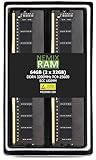
 NEMIX RAM 64GB (2X32GB) DDR4 2666MHZ PC4-21300 2Rx8 1.2V 288-PIN ECC Unbuffered UDIMM Memory KIT Compatible with Dell Precision 3930 Rack WorkstationCA$86364 GB · ECCBuy on Amazon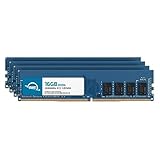
Where the "1 GB per TB" rule comes from
The rule is a legacy of the FreeNAS years. Back then ZFS's ARC cache was configured more rigidly, servers rarely had more than 32 GB, and the advice was a deliberately generous safety margin for administrators using ZFS for the first time. It has stuck so firmly that it is quoted in almost every forum thread, often as if it were a hard requirement.
It is not. The memory ZFS actually needs is governed not by the size of the pool but by the size of your active data: the data you read regularly. A 200 TB archive that serves one file a month needs far less than the rule suggests, while a busy 20 TB pool full of virtual machines can want more per terabyte than the rule allows.
What actually drives the number
- Base + pool: a small base plus a slope per TB that flattens past about 24 TB, because OpenZFS 2.x sizes ARC dynamically.
- VMs and apps: add the RAM those services reserve directly on top.
- Deduplication: about 5 GB per TB of deduplicated data, the single biggest multiplier, and rarely worth it at home.
- L2ARC: about 1 GB of RAM to index each 50 GB of cache SSD.
ECC or not
ECC memory catches and corrects single-bit errors before they can reach your data, which is exactly the kind of protection ZFS is built around. On a board and CPU that support it, choose ECC. TrueNAS runs perfectly well on non-ECC memory: you simply give up one layer of the integrity story. If you are building the box, the buying guides cover ECC support by platform.
Size the pool first, then the memory
RAM sits downstream of the pool layout. Decide the drives and the RAID-Z level with the RAID-Z calculator first, then bring the raw capacity here. If you are still deciding how many drives to buy for a target size, the drive-count calculator works that out with live Canadian pricing.
Frequently asked questions
How much RAM does TrueNAS need for a 120 TB pool (6 × 20 TB)?
The old rule of thumb, 8 GB plus 1 GB per TB, asks for 128 GB. You do not have to buy that. For plain file storage, 64 GB is plenty and 32 GB runs stably. The rule dates from the FreeNAS era and over-provisions badly at scale, because ZFS sizes its ARC cache to your active data, not to the size of the pool.
Is the 1 GB per TB rule actually required?
No. It is a cautious safety margin inherited from FreeNAS, not a technical requirement. What ZFS really needs tracks the size of your actively read data, not the raw pool. A 200 TB archive read once a month needs far less than the rule suggests; a busy 20 TB pool of VMs can want more per TB.
Do I need ECC RAM for TrueNAS?
It is strongly recommended but not mandatory. ECC memory catches and corrects single-bit errors before they reach your data, which fits ZFS's whole philosophy of end-to-end integrity. On a board and CPU that support it, choose ECC; TrueNAS runs on non-ECC, it just gives up one layer of protection.
Does deduplication change the RAM requirement?
Dramatically. Dedup costs roughly 5 GB of RAM per TB of deduplicated data, on top of everything else. If the dedup table does not fit in RAM it spills to disk and the pool crawls. For a home NAS, dedup almost never pays off: compression (lz4) does more and costs nothing.
Does an L2ARC cache SSD reduce the RAM I need?
The opposite: L2ARC itself costs RAM to index, about 1 GB per 50 GB of cache. While you are under about 32 GB of RAM, adding more RAM almost always helps more than an L2ARC SSD. L2ARC only earns its keep once main RAM is already generous and the working set genuinely exceeds it.
Devin Chua works out which drives, RAM and NVMe cache fit which NAS model at nasdrives.ca, and what the RAID choice means for usable capacity, checked against what is in stock on Amazon.ca.
 Data checked by Owen Nakamura, Technical editor (data checking)