Best M.2 NVMe for the Synology DiskStation DS1525+
 By Devin Chua · Data checked by Owen Nakamura · Updated · Prices checked
 The DS1525+'s 2 M.2 slots take 2280 NVMe drives, and Synology's compatibility list for it names only its own SNV3400, SNV3410 and SNV5420 drives, which Synology requires for both cache and storage pools. The DSM 7.3 change of 8 October 2025 covered hard drives and 2.5-inch SATA SSDs, not M.2. Whether a cache pays off depends on the 2 × 2.5GbE, expandable to 10GbE with the E10G22-T1-Mini link and on whether you re-read the same data; for a media library streamed once, it does not.
As an Amazon Associate we earn from qualifying purchases on Amazon.ca.
Want to know whether the DS1525+ fits your actual storage plan? Open the NAS Builder with this model weighted.
M.2 NVMe for the DS1525+, from Amazon.ca
| Model | Capacity | Price | |
|---|---|---|---|
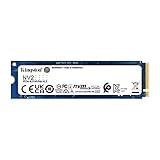
 Synology SNV3410 400GB M.2 2280 NVMe PCIe 3x4 SSDNew On Synology's M.2 compatibility list for the DS1525+ Amazon.ca · sold by MaxSalesFr · one bare SSD; shipping and taxes not included · checked Oct 15, 2026CA$941Buy on Amazon | 0.4 TB | CA$941 | Buy on Amazon |
Fits physically, not on Synology’s list
not on Synology's M.2 compatibility list for this model, which Synology requires for cache and pools These are shown for reference, not as picks.



Fit not confirmed by Synology
We could not confirm these against Synology’s published specifications: the listing does not state the M.2 length. Check them against your unit before buying; they are not counted as compatible.


Left out as not fitting the DS1525+: 2 listings (M.2 2230).
Cache or a fast pool on the DS1525+?
The DS1525+'s 2 M.2 slots take 2280 NVMe drives, and Synology's compatibility list for it names only its own SNV3400, SNV3410 and SNV5420 drives, which Synology requires for both cache and storage pools. The DSM 7.3 change of 8 October 2025 covered hard drives and 2.5-inch SATA SSDs, not M.2. A cache only speeds up data you read more than once: on the DS1525+, a media library streamed through once gains nothing, while repeated project files, photo libraries or container images show the difference immediately. Weigh that against its 2 × 2.5GbE, expandable to 10GbE with the E10G22-T1-Mini link, which is often the real limit.
Budget for that list when you plan a cache or a pool: on the DS1525+ it is the one place Synology still enforces a drive list, and the drives on it cost more per TB than consumer NVMe.
Drive policy: Since DSM 7.3 (8 October 2025) the DS1525+ accepts third-party hard drives and 2.5-inch SATA SSDs for new storage pools; only M.2 NVMe still has to come from Synology's list. The DS1525+’s full compatibility rules.
Keep calculating
To see how much capacity is left after parity, the DS1525+ capacity calculator is preset to its 5 bays and RAID types. For the DS1525+, the wider basics of choosing a drive are in the buying guides, and CMR versus SMR explains why SMR drives do not belong in a RAID array. Wondering what the DS1525+ can actually do: Plex, Immich, Docker, VMs? See what the DS1525+ can run.
Frequently asked questions
How many M.2 slots does the DS1525+ have?
2. 2 × M.2 NVMe. For both cache and storage pool Synology still requires a listed NVMe drive.
Is an NVMe cache worth it in the DS1525+?
Only if you re-read the same data on the DS1525+: project files, photos, container images. A media library streamed once gains nothing, and with 2 × 2.5GbE, expandable to 10GbE with the E10G22-T1-Mini the link is often the limit before the drive is.
Can I put any NVMe in the DS1525+?
No. The DS1525+'s 2 M.2 slots take 2280 NVMe drives, and Synology's compatibility list for it names only its own SNV3400, SNV3410 and SNV5420 drives, which Synology requires for both cache and storage pools. The DSM 7.3 change of 8 October 2025 covered hard drives and 2.5-inch SATA SSDs, not M.2.
Can I put third-party drives in the DS1525+?
Yes. Since DSM 7.3 (8 October 2025) the DS1525+ accepts third-party hard drives and 2.5-inch SATA SSDs for new storage pools; only M.2 NVMe still has to come from Synology's list.
Devin Chua works out which drives, RAM and NVMe cache fit which NAS model at nasdrives.ca, and what the RAID choice means for usable capacity, checked against what is in stock on Amazon.ca.
 Data checked by Owen Nakamura, Technical editor (data checking)