Best RAM for the Synology DiskStation DS1525+
 By Devin Chua · Data checked by Owen Nakamura · Updated · Prices checked
 The Synology DiskStation DS1525+ ships with 8 GB of DDR4 ECC SO-DIMM (2 slots) and officially takes 32 GB of ECC memory. What benefits from the upgrade is specific to this box: the AMD Ryzen V1500B (4 cores, 8 threads) runs Synology's apps, containers and virtual machines, and ECC is the reason to buy branded modules here. Below are ECC modules from Amazon.ca that meet Synology's published limits, in CAD.
As an Amazon Associate we earn from qualifying purchases on Amazon.ca.
Want to know whether the DS1525+ fits your actual storage plan? Open the NAS Builder with this model weighted.
Memory that fits the DS1525+, from Amazon.ca
| Module | Size | Type | Price | |
|---|---|---|---|---|
 NEMIX RAM 32GB (2X16GB) DDR4 2666MHZ PC4-21300 2Rx8 1.2V 260-PIN ECC Unbuffered SODIMM KIT Workstation, NAS MemoryNew DDR4 SO-DIMM ECC, within Synology's 16 GB per module for the DS1525+ Amazon.ca · sold by nvtek · 2 memory modules; shipping and taxes not included · checked Oct 15, 2026CA$471Buy on Amazon | 32 GB | DDR4 SO-DIMM ECC | CA$471 | Buy on Amazon |
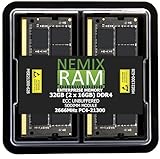 32GB 2X16GB DDR4 2666MHZ PC4-21300 2Rx8 1.2V CL19 260-PIN ECC Unbuffered SODIMM KIT NEMIX RAM Compatible with Synology D4ES03-16G NAS 25 Series: DS1825+ DS1525+ DS925+ DS725+New DDR4 SO-DIMM ECC, within Synology's 16 GB per module for the DS1525+; Synology's own module for this model Amazon.ca · sold by nvtek · 2 memory modules; shipping and taxes not included · checked Oct 15, 2026CA$471Buy on Amazon | 32 GB | DDR4 SO-DIMM ECC | CA$471 | Buy on Amazon |
NEMIX RAM 32GB (2X16GB) DDR4 2666MHZ PC4-21300 2Rx8 1.2V 260-PIN ECC Unbuffered SODIMM NAS Memory KIT Compatible with Synology D4ECSO-2666-16GNew DDR4 SO-DIMM ECC, within Synology's 16 GB per module for the DS1525+ Amazon.ca · sold by nvtek · 2 memory modules; shipping and taxes not included · checked Oct 15, 2026CA$471Buy on Amazon | 32 GB | DDR4 SO-DIMM ECC | CA$471 | Buy on Amazon |
 OWC 32GB (2x16GB) DDR4 3200MHz ECC SODIMM 260-pin Memory RAMNew DDR4 SO-DIMM ECC, within Synology's 16 GB per module for the DS1525+ Amazon.ca · sold by ON®LINE-CA · 2 memory modules; shipping and taxes not included · checked Oct 15, 2026CA$612Buy on Amazon | 32 GB | DDR4 SO-DIMM ECC | CA$612 | Buy on Amazon |
 16GB 1X16GB DDR4 2666MHZ PC4-21300 2Rx8 1.2V CL19 260-PIN ECC Unbuffered SODIMM NEMIX RAM Compatible with Synology D4ES03-16G NAS 25 Series: DS1825+ DS1525+ DS925+ DS725+New DDR4 SO-DIMM ECC, within Synology's 16 GB per module for the DS1525+; Synology's own module for this model Amazon.ca · sold by nvtek · one memory module; shipping and taxes not included · checked Oct 15, 2026CA$236Buy on Amazon | 16 GB | DDR4 SO-DIMM ECC | CA$236 | Buy on Amazon |
 NEMIX RAM 16GB (1X16GB) DDR4 2666MHZ PC4-21300 2Rx8 1.2V 260-PIN ECC Unbuffered SODIMM Compatible with Synology D4ES01-16G NAS MemoryNew DDR4 SO-DIMM ECC, within Synology's 16 GB per module for the DS1525+ Amazon.ca · sold by nvtek · one memory module; shipping and taxes not included · checked Oct 15, 2026CA$236Buy on Amazon | 16 GB | DDR4 SO-DIMM ECC | CA$236 | Buy on Amazon |
NEMIX RAM 16GB (1X16GB) DDR4 2666MHZ PC4-21300 2Rx8 1.2V 260-PIN ECC Unbuffered SODIMM Workstation, NAS MemoryNew DDR4 SO-DIMM ECC, within Synology's 16 GB per module for the DS1525+ Amazon.ca · sold by nvtek · one memory module; shipping and taxes not included · checked Oct 15, 2026CA$236Buy on Amazon | 16 GB | DDR4 SO-DIMM ECC | CA$236 | Buy on Amazon |
 NEMIX RAM 16GB (1X16GB) DDR4 3200MHZ PC4-25600 2Rx8 1.2V CL22 260-PIN ECC Unbuffered SODIMM Compatible with Kingston KSM32SED8/16HD, KSM32SED8/16MRNew DDR4 SO-DIMM ECC, within Synology's 16 GB per module for the DS1525+ Amazon.ca · sold by nvtek · one memory module; shipping and taxes not included · checked Oct 15, 2026CA$238Buy on Amazon | 16 GB | DDR4 SO-DIMM ECC | CA$238 | Buy on Amazon |
Fit not confirmed by Synology
We could not confirm these against Synology’s published specifications: the listing does not state ECC. Check them against your unit before buying; they are not counted as compatible.
| Module | Size | Type | Price | |
|---|---|---|---|---|
 Crucial 32GB Kit (16GBx2) DDR4 2400 MT/s (PC4-19200) DR x8 SODIMM 260-Pin Memory - CT2K16G4SFD824ANew Amazon.ca · sold by Amazon US · 2 memory modules; shipping and taxes not included · checked Oct 15, 2026 · ships from the US through Amazon.ca CA$366Buy on Amazon | 32 GB | DDR4 SO-DIMM | CA$366 | Buy on Amazon |
 Corsair Vengeance 32GB (2x16GB) 260-Pin SO-DIMM DDR4 Up to 2400MHz (PC4 19200) Memory (Notebook Memory) CMSX32GX4M2A2400C16New Amazon.ca · sold by Amazon.ca · 2 memory modules; shipping and taxes not included · checked Oct 15, 2026 CA$443Buy on Amazon | 32 GB | DDR4 SO-DIMM | CA$443 | Buy on Amazon |
 Crucial Memory Bundle with 32GB (2x16GB) DDR4 PC4-21300 2666MHz DR x8 SODIMM Memory CT2K16G4SFD8266 Compatible with OptiPlex Micro Form Factor 3050, 3060, 3070, 5050, 5060, 5070, 7050, 7060, 7070New Amazon.ca · sold by HOME BUCKS LLC · 2 memory modules; shipping and taxes not included · checked Oct 15, 2026 CA$475Buy on Amazon | 32 GB | DDR4 SO-DIMM | CA$475 | Buy on Amazon |
 Silicon Power DDR4 16GB 3200MHz (PC4-25600) CL22 SODIMM 260-Pin Gaming Laptop Notebook Memory SP016GBSFU320X02New Amazon.ca · sold by SILICON POWER COMPUTER COMMUNICATIONS USA INC. · one memory module; shipping and taxes not included · checked Oct 15, 2026 CA$150Buy on Amazon | 16 GB | DDR4 SO-DIMM | CA$150 | Buy on Amazon |
 Samsung 16GB DDR4 2666MHz PC4-21300 (PC4-2666V) CL19 SODIMM 2Rx8 Dual Rank 1.2V 260-Pin Laptop, Notebook RAM MemoryNew Amazon.ca · sold by Amazon US · one memory module; shipping and taxes not included · checked Oct 15, 2026 · ships from the US through Amazon.ca CA$165Buy on Amazon | 16 GB | DDR4 SO-DIMM | CA$165 | Buy on Amazon |
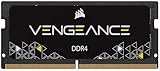 CORSAIR Vengeance SODIMM DDR4 16GB (1 x 16GB) Up to 3200MHz AMD IntelNew Amazon.ca · sold by Amazon.ca · one memory module; shipping and taxes not included · checked Oct 15, 2026 CA$170Buy on Amazon | 16 GB | DDR4 SO-DIMM | CA$170 | Buy on Amazon |
Left out as not fitting the DS1525+: 127 listings (DDR5, 48 GB modules, 96 GB brings the total above the 32 GB maximum, 32 GB modules).
What more memory buys on the DS1525+
The DS1525+ takes DDR4 ECC SO-DIMM (2 slots) up to an official 32 GB, across 2 slots, starting from 8 GB. Whether that upgrade earns its money is a question about this exact box: the AMD Ryzen V1500B (4 cores, 8 threads) runs Synology's app suite, containers and several virtual machines, and those are what fill memory: plain file serving will not.
The DS1525+ requires ECC memory, and that is not a marketing line: ECC corrects single flipped bits, which in a box that runs around the clock and holds your only copy of some files is the right call. Match the DDR4 ECC SO-DIMM (2 slots) spec exactly:Synology specifies ECC modules for the DS1525+, so non-ECC modules are not listed here. 32 GB official, ECC
Drive policy: Since DSM 7.3 (8 October 2025) the DS1525+ accepts third-party hard drives and 2.5-inch SATA SSDs for new storage pools; only M.2 NVMe still has to come from Synology's list. The DS1525+’s full compatibility rules.
Keep calculating
To see how much capacity is left after parity, the DS1525+ capacity calculator is preset to its 5 bays and RAID types. For the DS1525+, the wider basics of choosing a drive are in the buying guides, and CMR versus SMR explains why SMR drives do not belong in a RAID array. Wondering what the DS1525+ can actually do: Plex, Immich, Docker, VMs? See what the DS1525+ can run.
Frequently asked questions
What memory does the DS1525+ use?
DDR4 ECC SO-DIMM (2 slots), starting from 8 GB. 32 GB official, ECC It requires ECC modules.
Can the DS1525+'s memory be upgraded?
Yes. The DS1525+ has 2 slots, officially to 32 GB of ECC.
Is more RAM worth it in the DS1525+?
Yes if you virtualize. The DS1525+'s AMD Ryzen V1500B (4 cores, 8 threads) can run several VMs and many containers, and those are what use the extra memory; for plain file storage the stock 8 GB is enough.
Can I put third-party drives in the DS1525+?
Yes. Since DSM 7.3 (8 October 2025) the DS1525+ accepts third-party hard drives and 2.5-inch SATA SSDs for new storage pools; only M.2 NVMe still has to come from Synology's list.
Devin Chua works out which drives, RAM and NVMe cache fit which NAS model at nasdrives.ca, and what the RAID choice means for usable capacity, checked against what is in stock on Amazon.ca.
 Data checked by Owen Nakamura, Technical editor (data checking)