Synology RAID calculator: usable capacity under DSM
 By Devin Chua · Data checked by Owen Nakamura · Updated · Prices checked
 With 4 × 8 TB in SHR, a Synology NAS keeps about 21.83 TiB usable (24 TB in drive-maker terms), and a single drive failure is survivable. The key is SHR: it subtracts only the largest drive from the total, so it uses mixed drive sizes too. The calculator below shows only the RAID types DSM actually offers, priced to fill in Canadian dollars.
As an Amazon Associate we earn from qualifying purchases on Amazon.ca.
SHR (Synology Hybrid RAID)
That is 24 TB the way drive makers label capacity. Your NAS shows you the smaller number because it counts in powers of two.
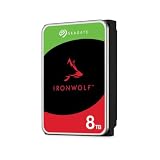
Drives: from CA$2,288 for 4 × 8 TB (CA$71.51/TB overall)
 Toshiba N300 PRO 8TB Large-Sized Business NAS (up to 24 Bays) 3.5-Inch Internal Hard Drive - Up to 300 TB/Year Workload Rate CMR SATA 6 GB/s 7200 RPM 512 MB Cache - HDWG780XZSTBCA$5728 TB · CA$71.51/TBBuy on Amazon


What DSM does differently with RAID
SHR is the real reason people buy Synology. It subtracts only the largest drive from the total, instead of sizing to the smallest like RAID 5. If you have drives of different sizes, or you plan to add a larger one later, SHR recovers capacity that is simply lost on UGREEN and QNAP.
Third-party drives in a Synology NAS
The 2025 Plus-model drive lock is history: with DSM 7.3 on 8 October 2025 you can fit ordinary Seagate or Western Digital drives in a DS925+ again. Only M.2 NVMe still requires a drive from Synology's own list.
Calculate for your exact model
Bay count matters: a two-bay unit cannot do RAID 5, which needs at least three drives. So each Synology model has its own calculator with the bays already set:
- Synology DiskStation DS925+ (4 bays)
- Synology DiskStation DS923+ (4 bays)
- Synology DiskStation DS423+ (4 bays)
- Synology DiskStation DS224+ (2 bays)
- Synology DiskStation DS1525+ (5 bays)
And then the drives
Which drives belong in a Synology NAS is covered in the buying guides. The short answer: CMR, not SMR, rated for 24/7 use. Why that is not a detail but decides whether a rebuild succeeds is explained under CMR vs SMR.
Frequently asked questions
Which RAID types does Synology support?
DSM offers SHR, SHR+ or SHR-2, plus Basic, JBOD, RAID 0, 1, 5, 6 and 10, depending on how many bays your model has. A two-bay unit cannot do RAID 5, which needs at least three drives.
Does Synology have an equivalent to Synology's SHR?
SHR is Synology's own scheme. It subtracts only the largest drive from the total instead of sizing to the smallest, so mixed drive sizes are genuinely put to use.
Can I put third-party drives in a Synology NAS?
The 2025 Plus-model drive lock is history: with DSM 7.3 on 8 October 2025 you can fit ordinary Seagate or Western Digital drives in a DS925+ again. Only M.2 NVMe still requires a drive from Synology's own list.
How much storage is left with 4 × 8 TB in a Synology NAS?
In SHR, about 21.83 TiB usable, or 24 TB in drive-maker terms. One drive goes to parity and a single failure is survivable. The NAS shows less than the label because makers count in decimal and the NAS in powers of two.
Which drives belong in this NAS?
CMR NAS drives rated for 24/7 use: Seagate IronWolf, WD Red Plus, Toshiba N300 or their Pro variants. SMR drives do not belong in any RAID array, because they collapse dramatically during a rebuild after a failure.
Devin Chua works out which drives, RAM and NVMe cache fit which NAS model at nasdrives.ca, and what the RAID choice means for usable capacity, checked against what is in stock on Amazon.ca.
 Data checked by Owen Nakamura, Technical editor (data checking)