ECC RAM for a NAS: do you need it?
 By Ryan Fournier · Reviewed by Claire Bergeron · Updated · Prices checked
 ECC memory corrects single-bit errors before they reach your data: a genuine safeguard in a box that runs 24/7 and may hold your only copy of some files. It is recommended, not mandatory. It matters most with ZFS (TrueNAS), whose whole design is about integrity. Synology's Plus models and many DIY Xeon/Ryzen builds support ECC; the popular N100 and most entry NAS units do not. If your platform supports ECC, use it; if not, do not lose sleep for a home file server.
As an Amazon Associate we earn from qualifying purchases on Amazon.ca.
The verdict: which should you buy?
What ECC actually does
Standard RAM can silently flip a bit (from cosmic rays, heat or age) and pass the wrong value to your data. ECC (Error-Correcting Code) memory detects and corrects single-bit flips on the fly, and flags multi-bit ones. In a 24/7 NAS that reads and writes constantly, that is a real, if occasional, protection against silent corruption.
Why ZFS builders insist on it
ZFS goes to great lengths to guarantee data integrity end to end: checksums on every block, scrubs that repair corruption. A bit flip in non-ECC RAM can undermine that by corrupting data before ZFS checksums it, or during a scrub. This is why the TrueNAS community strongly favours ECC: it closes the one gap ZFS cannot cover itself. TrueNAS runs fine on non-ECC, but for a pool you truly care about, ECC is the recommended completion of the integrity story.
Which NAS units support ECC
- Support ECC: Synology Plus models (DS925+, DS923+, DS1525+ use DDR4 ECC SO-DIMM), and DIY builds on Intel Xeon E or ECC-capable Ryzen boards.
- Do not: the Intel N100 (no ECC), most entry NAS units, and ARM-based models.
So if ECC matters to you, it partly dictates the platform: a Synology Plus or an ECC DIY build, not an N100. For a mainstream home NAS storing media and backups, non-ECC is a perfectly reasonable, common choice.
Buying in Canada
Canadians cross-shop Amazon.ca, Best Buy Canada, Canada Computers, Newegg.ca and Memory Express; the cheapest SKU moves between them, and we track Amazon.ca live in CAD as the baseline. It is worth a two-minute check across those before you buy a drive or a NAS.
On importing from Amazon.com: it rarely beats a local CAD price once you add exchange, any duty, brokerage and the harder path to a warranty claim or return. The exchange rate is not a penalty: the honest point is total landed cost plus how much easier a return or RMA is when you bought it in Canada. For a drive that will run 24/7 for years, local warranty support is worth real money.
ECC memory on Amazon.ca (CAD)
ECC modules in stock on Amazon.ca. Match your board or NAS's exact ECC type before buying.
| Module | Size | Type | Price | |
|---|---|---|---|---|
 96GB 2X48GB DDR5 5600MHZ PC5-44800 1Rx8 1.1V CL46 262-PIN ECC Unbuffered SODIMM NEMIX RAM Workstation MicroServer Enterprise & Industrial Mini-PC Memory KITNew Amazon.ca · sold by nvtek · 2 memory modules; shipping and taxes not included · checked Oct 15, 2026 CA$3,408Buy on Amazon | 96 GB | DDR5 SO-DIMM ECC | CA$3,408 | Buy on Amazon |
 OWC 64GB (2x32GB) DDR4 2666MHz ECC SODIMM 260-pin Memory RAMNew Amazon.ca · sold by OWC (Other World Computing) · 2 memory modules; shipping and taxes not included · checked Oct 15, 2026 CA$808Buy on Amazon | 64 GB | DDR4 SO-DIMM ECC | CA$808 | Buy on Amazon |
 NEMIX RAM 64GB (2X32GB) DDR4 2666MHZ PC4-21300 2Rx8 1.2V 288-PIN ECC Unbuffered UDIMM Memory KIT Compatible with Dell Precision 3930 Rack WorkstationNew Amazon.ca · sold by nvtek · 2 memory modules; shipping and taxes not included · checked Oct 15, 2026 CA$863Buy on Amazon | 64 GB | DDR4 UDIMM ECC | CA$863 | Buy on Amazon |
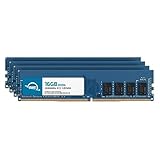 OWC 64GB (4x16GB) DDR4 2666MHz ECC UDIMM 288-pin Memory RAMNew Amazon.ca · sold by OWC (Other World Computing) · 4 memory modules; shipping and taxes not included · checked Oct 15, 2026 CA$865Buy on Amazon | 64 GB | DDR4 UDIMM ECC | CA$865 | Buy on Amazon |
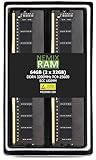 NEMIX RAM 64GB (2X32GB) DDR4 3200MHZ PC4-25600 2Rx8 1.2V 288-PIN ECC Unbuffered UDIMM KITNew Amazon.ca · sold by nvtek · 2 memory modules; shipping and taxes not included · checked Oct 15, 2026 CA$896Buy on Amazon | 64 GB | DDR4 UDIMM ECC | CA$896 | Buy on Amazon |
NEMIX RAM 64GB (2X32GB) DDR4 3200MHZ PC4-25600 2Rx8 1.2V 288-PIN ECC Unbuffered UDIMM KIT Compatible with DELL PowerEdge T350 ServerNew Amazon.ca · sold by nvtek · 2 memory modules; shipping and taxes not included · checked Oct 15, 2026 CA$896Buy on Amazon | 64 GB | DDR4 UDIMM ECC | CA$896 | Buy on Amazon |
NEMIX RAM 64GB (2X32GB) DDR4 3200MHZ PC4-25600 2Rx8 1.2V 288-PIN ECC Unbuffered UDIMM KIT Compatible with DELL PowerEdge T150 ServerNew Amazon.ca · sold by nvtek · 2 memory modules; shipping and taxes not included · checked Oct 15, 2026 CA$896Buy on Amazon | 64 GB | DDR4 UDIMM ECC | CA$896 | Buy on Amazon |
 OWC 64GB (2x32GB) DDR4 3200MHz ECC SODIMM 260-pin Memory RAMNew Amazon.ca · sold by NAFAGOLD CA · 2 memory modules; shipping and taxes not included · checked Oct 15, 2026 CA$1,204Buy on Amazon | 64 GB | DDR4 SO-DIMM ECC | CA$1,204 | Buy on Amazon |
 NEMIX RAM 64GB (2X32GB) DDR5 5600MHZ PC5-44800 2Rx8 1.1V 262-PIN ECC Unbuffered SODIMM Memory KITNew Amazon.ca · sold by nvtek · 2 memory modules; shipping and taxes not included · checked Oct 15, 2026 CA$2,305Buy on Amazon | 64 GB | DDR5 SO-DIMM ECC | CA$2,305 | Buy on Amazon |
 Timetec Hynix IC 32GB DDR4 3200MHz PC4-25600 Unbuffered ECC UDIMM 1.2V CL22 2Rx8 Dual Rank 260 Pin SODIMM Memory RAM Module Upgrade (32GB)New Amazon.ca · sold by Amazon US · one memory module; shipping and taxes not included · checked Oct 15, 2026 · ships from the US through Amazon.ca CA$335Buy on Amazon | 32 GB | DDR4 UDIMM ECC | CA$335 | Buy on Amazon |
Read more
Frequently asked questions
Do I need ECC RAM for a NAS?
Recommended, not mandatory. ECC corrects single-bit memory errors before they reach your data, which matters most with ZFS. If your NAS or build supports ECC (Synology Plus, Xeon/Ryzen builds), use it; the N100 and most entry units do not, and non-ECC is fine for a home file server.
Does TrueNAS require ECC?
No, but it is strongly recommended. ZFS guarantees integrity end to end, and ECC closes the one gap it cannot: a bit flip in RAM before checksumming. TrueNAS runs on non-ECC; for a pool you truly value, use ECC.
Does the N100 support ECC?
No. The Intel N100 has no ECC support, which is its one real limitation for a ZFS purist. For ECC, step up to an Intel Xeon E or an ECC-capable Ryzen board, or buy a Synology Plus model.
Ryan Fournier covers home-server hardware and efficiency at nasdrives.ca: the right power supply, the UPS, and what a NAS actually draws running around the clock, priced against Canadian hydro rates.
 Reviewed by Claire Bergeron, Editor-in-chief