TrueNAS hardware guide: what ZFS really needs
 By Ryan Fournier · Reviewed by Claire Bergeron · Updated · Prices checked
 For TrueNAS you want a CPU with enough cores for your apps, ECC memory where the platform supports it, and RAM sized to your active data, not the old 1 GB-per-TB rule, which over-provisions badly at scale. A file server of 100 TB runs comfortably on 32 to 64 GB; the N100's 16 GB covers a small pool. ECC is recommended, not mandatory: it corrects single-bit errors before they reach your data, which fits ZFS's whole design.
As an Amazon Associate we earn from qualifying purchases on Amazon.ca.
RAM: ignore the 1 GB-per-TB myth
The rule '8 GB plus 1 GB per TB' dates from the FreeNAS era and is quoted far past its usefulness. OpenZFS 2.x sizes its ARC cache dynamically, so what ZFS needs tracks the size of your actively read data, not the raw pool. A 120 TB archive read occasionally needs far less than the rule's 128 GB; a busy pool of VMs can want more per TB. Size it with the TrueNAS RAM calculator, which shows both the rule and the realistic figure.
ECC: recommended, and here is why
ECC memory catches and corrects single flipped bits before they are written. In a box that runs 24/7 and may hold your only copy of some files, that is the safeguard worth having, and it is why experienced ZFS builders insist on it. It is not mandatory, TrueNAS runs fine on non-ECC, but if your board and CPU support ECC, use it.
The catch is platform: the popular N100 has no ECC. For ECC you step up to an Intel Xeon E, a Ryzen with an ECC-capable board, or an embedded Ryzen like Synology uses. That is a real cost-and-complexity jump, which is the honest trade-off to weigh.
CPU, HBA and boot
- CPU: for a file server, almost anything modern is enough; the N100 handles SMB and a few apps. For many VMs or heavy Plex transcoding, step up to a Pentium, Core-i or Ryzen.
- Drive connection: use the chipset SATA ports first. If you need more, an LSI/Broadcom HBA in IT mode (9207-8i, 9300-8i) is the reliable choice: avoid cheap port multipliers.
- Boot: a small SSD, never a USB stick. TrueNAS SCALE writes constantly and sticks fail.
ECC memory on Amazon.ca (CAD)
ECC modules for a TrueNAS build, priced live from Amazon.ca. Match your board's exact type before buying.
| Module | Size | Type | Price | |
|---|---|---|---|---|
 96GB 2X48GB DDR5 5600MHZ PC5-44800 1Rx8 1.1V CL46 262-PIN ECC Unbuffered SODIMM NEMIX RAM Workstation MicroServer Enterprise & Industrial Mini-PC Memory KITNew Amazon.ca · sold by nvtek · 2 memory modules; shipping and taxes not included · checked Oct 15, 2026 CA$3,408Buy on Amazon | 96 GB | DDR5 SO-DIMM ECC | CA$3,408 | Buy on Amazon |
 OWC 64GB (2x32GB) DDR4 2666MHz ECC SODIMM 260-pin Memory RAMNew Amazon.ca · sold by OWC (Other World Computing) · 2 memory modules; shipping and taxes not included · checked Oct 15, 2026 CA$808Buy on Amazon | 64 GB | DDR4 SO-DIMM ECC | CA$808 | Buy on Amazon |
 NEMIX RAM 64GB (2X32GB) DDR4 2666MHZ PC4-21300 2Rx8 1.2V 288-PIN ECC Unbuffered UDIMM Memory KIT Compatible with Dell Precision 3930 Rack WorkstationNew Amazon.ca · sold by nvtek · 2 memory modules; shipping and taxes not included · checked Oct 15, 2026 CA$863Buy on Amazon | 64 GB | DDR4 UDIMM ECC | CA$863 | Buy on Amazon |
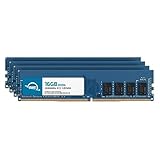 OWC 64GB (4x16GB) DDR4 2666MHz ECC UDIMM 288-pin Memory RAMNew Amazon.ca · sold by OWC (Other World Computing) · 4 memory modules; shipping and taxes not included · checked Oct 15, 2026 CA$865Buy on Amazon | 64 GB | DDR4 UDIMM ECC | CA$865 | Buy on Amazon |
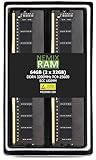 NEMIX RAM 64GB (2X32GB) DDR4 3200MHZ PC4-25600 2Rx8 1.2V 288-PIN ECC Unbuffered UDIMM KITNew Amazon.ca · sold by nvtek · 2 memory modules; shipping and taxes not included · checked Oct 15, 2026 CA$896Buy on Amazon | 64 GB | DDR4 UDIMM ECC | CA$896 | Buy on Amazon |
NEMIX RAM 64GB (2X32GB) DDR4 3200MHZ PC4-25600 2Rx8 1.2V 288-PIN ECC Unbuffered UDIMM KIT Compatible with DELL PowerEdge T350 ServerNew Amazon.ca · sold by nvtek · 2 memory modules; shipping and taxes not included · checked Oct 15, 2026 CA$896Buy on Amazon | 64 GB | DDR4 UDIMM ECC | CA$896 | Buy on Amazon |
NEMIX RAM 64GB (2X32GB) DDR4 3200MHZ PC4-25600 2Rx8 1.2V 288-PIN ECC Unbuffered UDIMM KIT Compatible with DELL PowerEdge T150 ServerNew Amazon.ca · sold by nvtek · 2 memory modules; shipping and taxes not included · checked Oct 15, 2026 CA$896Buy on Amazon | 64 GB | DDR4 UDIMM ECC | CA$896 | Buy on Amazon |
 OWC 64GB (2x32GB) DDR4 3200MHz ECC SODIMM 260-pin Memory RAMNew Amazon.ca · sold by NAFAGOLD CA · 2 memory modules; shipping and taxes not included · checked Oct 15, 2026 CA$1,204Buy on Amazon | 64 GB | DDR4 SO-DIMM ECC | CA$1,204 | Buy on Amazon |
 NEMIX RAM 64GB (2X32GB) DDR5 5600MHZ PC5-44800 2Rx8 1.1V 262-PIN ECC Unbuffered SODIMM Memory KITNew Amazon.ca · sold by nvtek · 2 memory modules; shipping and taxes not included · checked Oct 15, 2026 CA$2,305Buy on Amazon | 64 GB | DDR5 SO-DIMM ECC | CA$2,305 | Buy on Amazon |
 Timetec Hynix IC 32GB DDR4 3200MHz PC4-25600 Unbuffered ECC UDIMM 1.2V CL22 2Rx8 Dual Rank 260 Pin SODIMM Memory RAM Module Upgrade (32GB)New Amazon.ca · sold by Amazon US · one memory module; shipping and taxes not included · checked Oct 15, 2026 · ships from the US through Amazon.ca CA$335Buy on Amazon | 32 GB | DDR4 UDIMM ECC | CA$335 | Buy on Amazon |
Read more
Frequently asked questions
Do I need ECC for TrueNAS?
Recommended, not mandatory. ECC corrects single-bit memory errors before they reach your data, which suits ZFS's integrity model. TrueNAS runs on non-ECC; if your board and CPU support ECC, use it. The N100 does not, which is its one real limitation for a ZFS purist.
How much RAM does TrueNAS need?
Less than the old rule says. ZFS sizes ARC dynamically, so RAM tracks your active data. A file pool of 100 TB runs on 32 to 64 GB; only dedup or many VMs push it higher. Use the TrueNAS RAM calculator for your case.
Can I run TrueNAS on an N100?
Yes, for a file server with a few apps: its 16 GB and four cores cover that well and it sips power. It is not the platform for ECC or heavy virtualization; step up to a Pentium/Ryzen build for those.
Ryan Fournier covers home-server hardware and efficiency at nasdrives.ca: the right power supply, the UPS, and what a NAS actually draws running around the clock, priced against Canadian hydro rates.
 Reviewed by Claire Bergeron, Editor-in-chief