The N100 NAS build: a complete Canadian parts list
 By Ryan Fournier · Reviewed by Claire Bergeron · Updated · Prices checked
 An Intel N100 NAS from a mini-ITX board with six SATA ports (around CA$220), 16 GB SO-DIMM (around CA$60), a 256 GB NVMe boot drive (around CA$40), a four-bay case (around CA$110) and an 80 Plus Gold PSU (around CA$90) costs about CA$520 without drives and idles at 12 to 15 W. Add four CMR drives and it draws around 40 W, roughly the running cost worked out in the power-cost guide below.
The build, part by part
 JONSBO N4 Black NAS Pc Case, Walnut Wood, 8-Drive Bay/6 * 3.5 "HDD (4 hot-swap,2 Non hot-swap),2 * 2.5SSD,Micro ATX Chassis, USB3.2Gen2Type-C, 1x120mm Fan Built-in, Black
 be quiet! Pure Power 12 750W Gaming PSU, 80 Plus Gold, ATX 3.1, 12V-Rail
Known subtotal: CA$286 · prices verified for 2 of 6 required parts; not priced: Board with CPU, Memory, Boot drive, Drives
This is the build most Canadian homes should make: enough CPU for Plex hardware transcoding through Quick Sync and a dozen containers, low idle draw, and standard parts you can replace at any Canadian retailer. The cards above show the live Amazon.ca price for each part and a running total without drives.
The N100 hardware-transcodes 4K HEVC in Plex through Intel Quick Sync: the single biggest reason to choose it over an ARM box or an embedded Ryzen with no iGPU. What it will not do is run several heavy virtual machines; for that, step up to a Pentium or Core-i build.
Sizing the drives and the pool
The drives are a separate decision from the parts above, and the larger one financially. Decide your target usable capacity, then use the drive-count calculator to see how many CMR drives of a given size that takes and what it costs in CAD.
On TrueNAS SCALE the N100 build runs ZFS; size the memory need with the TrueNAS RAM calculator, but note the N100 caps at 16 GB, which comfortably covers a file pool with a few apps. On Unraid, mixed drive sizes cost nothing, often the better fit for a build you will grow one drive at a time.
What it costs to run in Canada
Four drives plus the N100 base draws about 40 W, or roughly 350 kWh a year. What that costs depends entirely on your province: at Quebec's low residential rate it is only a few dollars a month, while Ontario or Alberta rates cost noticeably more. The power-cost guide works it out per province.
As an Amazon Associate we earn from qualifying purchases on Amazon.ca.
NAS drives on Amazon.ca by CA$/TB
Whichever model you choose, it needs CMR NAS drives rated for 24/7 use. These are the current best value per terabyte, live from Amazon.ca in Canadian dollars.
| Model | Capacity | Recording | Price | CA$/raw TB | |
|---|---|---|---|---|---|
 Western Digital 20TB WD Red Pro NAS Internal Hard Drive HDD - 7200 RPM, SATA 6 Gb/s, CMR, 512 MB Cache, 3.5" - WD202KFGXNewbest price per TB CMR recording, SATA NAS drive rated for 24/7 use Amazon.ca · sold by Amazon.ca · one bare internal drive; shipping and taxes not included · checked Oct 15, 2026CA$1,201Buy on Amazon | 20 TB | CMR ✓ | CA$1,201 | CA$60.03/TB | Buy on Amazon |
 Western Digital 22TB WD Red Pro NAS Internal Hard Drive HDD - 7200 RPM, SATA 6 Gb/s, CMR, 512 MB Cache, 3.5" - WD221KFGXNew CMR recording, SATA NAS drive rated for 24/7 use Amazon.ca · sold by Amazon US · one bare internal drive; shipping and taxes not included · checked Oct 15, 2026 · ships from the US through Amazon.caCA$1,452Buy on Amazon | 22 TB | CMR ✓ | CA$1,452 | CA$66.00/TB | Buy on Amazon |
 Western Digital 16TB WD Red Pro NAS Internal Hard Drive HDD - 7200 RPM, SATA 6 Gb/s, CMR, 256 MB Cache, 3.5" - WD161KFGXNew CMR recording, SATA NAS drive rated for 24/7 use Amazon.ca · sold by Amazon.ca · one bare internal drive; shipping and taxes not included · checked Oct 15, 2026CA$1,060Buy on Amazon | 16 TB | CMR ✓ | CA$1,060 | CA$66.25/TB | Buy on Amazon |
 Seagate IronWolf Pro 14TB Enterprise NAS Internal HDD Hard Drive – CMR 3.5 Inch SATA 6Gb/s 7200 RPM 256MB Cache for RAID Network Attached Storage, Rescue Services - FFP (ST14000NTZ01)New CMR recording, SATA NAS drive rated for 24/7 use Amazon.ca · sold by Deals2You · one bare internal drive; shipping and taxes not included · checked Oct 15, 2026CA$930Buy on Amazon | 14 TB | CMR ✓ | CA$930 | CA$66.43/TB | Buy on Amazon |
 Western Digital 12TB WD Red Pro NAS Internal Hard Drive HDD - 7200 RPM, SATA 6 Gb/s, CMR, 512 MB Cache, 3.5" - WD122KFBXNew CMR recording, SATA NAS drive rated for 24/7 use Amazon.ca · sold by Amazon US · one bare internal drive; shipping and taxes not included · checked Oct 15, 2026 · ships from the US through Amazon.caCA$815Buy on Amazon | 12 TB | CMR ✓ | CA$815 | CA$67.94/TB | Buy on Amazon |
 Western Digital 4TB WD Red Plus NAS Internal Hard Drive HDD - 5400 RPM, SATA 6 Gb/s, CMR, 128 MB Cache, 3.5" - WD40EFZZNew CMR recording, SATA NAS drive rated for 24/7 use Amazon.ca · sold by Amazon.ca · one bare internal drive; shipping and taxes not included · checked Oct 15, 2026CA$275Buy on Amazon | 4 TB | CMR ✓ | CA$275 | CA$68.75/TB | Buy on Amazon |
 HD 18TB N300 PRO NAS 3.5 in 7200RPM SATA III TOSHIBA HDWG81JXZSTBNew CMR recording, SATA NAS drive rated for 24/7 use Amazon.ca · sold by Canada Direct - Often Ships Same Day! · one bare internal drive; shipping and taxes not included · checked Oct 15, 2026CA$1,253Buy on Amazon | 18 TB | CMR ✓ | CA$1,253 | CA$69.61/TB | Buy on Amazon |
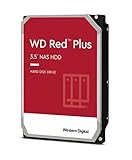 Western Digital 3TB WD Red Plus NAS Internal Hard Drive HDD - 5400 RPM, SATA 6 Gb/s, CMR, 256 MB Cache, 3.5" -WD30EFPXNew CMR recording, SATA NAS drive rated for 24/7 use Amazon.ca · sold by Generic Computer · one bare internal drive; shipping and taxes not included · checked Oct 15, 2026CA$210Buy on Amazon | 3 TB | CMR ✓ | CA$210 | CA$70.00/TB | Buy on Amazon |
 Seagate IRONWOLF 6TB NAS 3.5IN 6GB/S SATA 256MBNew CMR recording, SATA NAS drive rated for 24/7 use Amazon.ca · sold by Compute4Less Corp · one bare internal drive; shipping and taxes not included · checked Oct 15, 2026CA$423Buy on Amazon | 6 TB | CMR ✓ | CA$423 | CA$70.50/TB | Buy on Amazon |
 Western Digital 24TB WD Red Pro NAS Internal Hard Drive HDD - 7200 RPM, SATA 6 Gb/s, CMR, 512 MB Cache, 3.5" - WD241KFGXNew CMR recording, SATA NAS drive rated for 24/7 use Amazon.ca · sold by Amazon US · one bare internal drive; shipping and taxes not included · checked Oct 15, 2026 · ships from the US through Amazon.caCA$1,697Buy on Amazon | 24 TB | CMR ✓ | CA$1,697 | CA$70.71/TB | Buy on Amazon |
 HD 14TB N300 PRO NAS 3.5 in 7200RPM SATA III TOSHIBA HDWG81EXZSTBNew CMR recording, SATA NAS drive rated for 24/7 use Amazon.ca · sold by Canada Direct - Often Ships Same Day! · one bare internal drive; shipping and taxes not included · checked Oct 15, 2026CA$992Buy on Amazon | 14 TB | CMR ✓ | CA$992 | CA$70.87/TB | Buy on Amazon |
 Toshiba N300 PRO 8TB Large-Sized Business NAS (up to 24 Bays) 3.5-Inch Internal Hard Drive - Up to 300 TB/Year Workload Rate CMR SATA 6 GB/s 7200 RPM 512 MB Cache - HDWG780XZSTBNew CMR recording, SATA NAS drive rated for 24/7 use Amazon.ca · sold by OneDealOutlet Canada · one bare internal drive; shipping and taxes not included · checked Oct 15, 2026CA$572Buy on Amazon | 8 TB | CMR ✓ | CA$572 | CA$71.51/TB | Buy on Amazon |
Step by step
- Assemble on the bench. Seat the SO-DIMM and NVMe boot drive on the board before mounting it: much easier out of the case.
- Mount board, PSU and drives. Board on standoffs, PSU in its bracket, CMR drives in the cages; connect SATA data to chipset ports.
- Install TrueNAS or Unraid. Flash the installer to USB, boot it, and install to the 256 GB boot SSD.
- Create the pool and shares. Build the pool at the level you sized, add SMB shares, and set a backup job to a second location.
Read more
- Build your own NAS: the overview
- How many drives do I need?
- TrueNAS RAM calculator
- Running cost by province
Frequently asked questions
How much does an N100 NAS build cost in Canada?
About CA$520 without drives: roughly CA$220 board, CA$60 memory, CA$40 boot SSD, CA$110 case and CA$90 PSU. The live parts cards above show current Amazon.ca prices and the running total. Drives are extra and dominate at higher capacities.
Can an N100 NAS transcode Plex?
Yes: the N100's Intel Quick Sync hardware-transcodes Plex including 4K HEVC, handling several streams without loading the CPU. That is its main advantage over an ARM box or an embedded Ryzen, which have no usable iGPU for this.
How much RAM for an N100 NAS?
16 GB, which is also the N100's official ceiling. That comfortably runs a file pool with Docker; the platform cannot take more, so plan around it. For a memory-hungry ZFS setup, a different CPU is needed.
Ryan Fournier covers home-server hardware and efficiency at nasdrives.ca: the right power supply, the UPS, and what a NAS actually draws running around the clock, priced against Canadian hydro rates.
 Reviewed by Claire Bergeron, Editor-in-chief