NAS drive vs desktop drive: does it matter?
 By Amara Okonkwo · Reviewed by Claire Bergeron · Updated · Prices checked
 Yes, it matters in a RAID array. A NAS drive is rated for 24/7 use, tolerates the vibration of multiple drives in one enclosure, and, crucially, uses time-limited error recovery (TLER/ERC) so it does not drop out of a RAID array during a read retry. A desktop drive can hang on error recovery long enough that the controller marks it failed, degrading the array. For a single-drive or backup use, a desktop drive is fine; in RAID, buy NAS-rated.
As an Amazon Associate we earn from qualifying purchases on Amazon.ca.
NAS drive vs desktop drive, at a glance
| NAS drive | Desktop drive | |
|---|---|---|
| Error recovery (TLER) | time-limited: stays in the array | can hang, gets dropped from RAID |
| Duty rating | 24/7 continuous | 8 hours/day assumed |
| Workload/year | 180–550 TB/yr | much lower, often unstated |
| Vibration tolerance | built for multi-drive bays | single-drive design |
| Warranty | 3–5 years | 1–2 years typical |
| Price per TB | a premium | cheaper |
| Right for | any RAID / NAS array | single backup, one-drive use |
The verdict: which should you buy?
The four real differences
- Workload rating: NAS drives are rated for continuous operation (180–550 TB/yr); desktop drives assume an 8-hours-a-day duty and lower annual writes.
- Vibration tolerance: NAS drives add sensors and firmware to cope with the vibration of several drives spinning in one chassis; desktop drives are built for a single-drive PC.
- Error recovery (TLER/ERC): the big one for RAID. NAS drives time-limit their error recovery so the RAID controller does not mistake a slow retry for a failure.
- Warranty and MTBF: NAS drives carry longer warranties and higher rated reliability for 24/7 duty.
Why a desktop drive drops out of a RAID array
When a desktop drive hits a bad sector, it can retry for many seconds or longer trying to recover the data: sensible in a single-drive PC where that drive holds the only copy. In a RAID array, the controller expects a quick answer; if the drive goes quiet for too long, the controller assumes it has failed and drops it, degrading the array and possibly triggering a rebuild. NAS drives use TLER/ERC to report the error quickly and let the array's parity handle recovery, which is exactly what you want.
When a desktop drive is fine
A desktop drive is perfectly good as a single external backup, in a one-drive enclosure, or in a JBOD where each drive is independent. The NAS-drive premium buys the 24/7 rating, vibration tolerance and TLER that only matter once drives share a chassis in a parity array. If you are building any RAID (or SHR/RAID-Z), pay for NAS-rated CMR drives.
Buying in Canada
Canadians cross-shop Amazon.ca, Best Buy Canada, Canada Computers, Newegg.ca and Memory Express; the cheapest SKU moves between them, and we track Amazon.ca live in CAD as the baseline. It is worth a two-minute check across those before you buy a drive or a NAS.
On importing from Amazon.com: it rarely beats a local CAD price once you add exchange, any duty, brokerage and the harder path to a warranty claim or return. The exchange rate is not a penalty: the honest point is total landed cost plus how much easier a return or RMA is when you bought it in Canada. For a drive that will run 24/7 for years, local warranty support is worth real money.
NAS drives on Amazon.ca, by CA$/TB
CMR NAS-rated drives in stock on Amazon.ca, ranked by price per terabyte in CAD.
| Model | Capacity | Recording | Price | CA$/raw TB | |
|---|---|---|---|---|---|
 Western Digital 20TB WD Red Pro NAS Internal Hard Drive HDD - 7200 RPM, SATA 6 Gb/s, CMR, 512 MB Cache, 3.5" - WD202KFGXNewbest price per TB CMR recording, SATA NAS drive rated for 24/7 use Amazon.ca · sold by Amazon.ca · one bare internal drive; shipping and taxes not included · checked Oct 15, 2026CA$1,201Buy on Amazon | 20 TB | CMR ✓ | CA$1,201 | CA$60.03/TB | Buy on Amazon |
 Western Digital 22TB WD Red Pro NAS Internal Hard Drive HDD - 7200 RPM, SATA 6 Gb/s, CMR, 512 MB Cache, 3.5" - WD221KFGXNew CMR recording, SATA NAS drive rated for 24/7 use Amazon.ca · sold by Amazon US · one bare internal drive; shipping and taxes not included · checked Oct 15, 2026 · ships from the US through Amazon.caCA$1,452Buy on Amazon | 22 TB | CMR ✓ | CA$1,452 | CA$66.00/TB | Buy on Amazon |
 Western Digital 16TB WD Red Pro NAS Internal Hard Drive HDD - 7200 RPM, SATA 6 Gb/s, CMR, 256 MB Cache, 3.5" - WD161KFGXNew CMR recording, SATA NAS drive rated for 24/7 use Amazon.ca · sold by Amazon.ca · one bare internal drive; shipping and taxes not included · checked Oct 15, 2026CA$1,060Buy on Amazon | 16 TB | CMR ✓ | CA$1,060 | CA$66.25/TB | Buy on Amazon |
 Seagate IronWolf Pro 14TB Enterprise NAS Internal HDD Hard Drive – CMR 3.5 Inch SATA 6Gb/s 7200 RPM 256MB Cache for RAID Network Attached Storage, Rescue Services - FFP (ST14000NTZ01)New CMR recording, SATA NAS drive rated for 24/7 use Amazon.ca · sold by Deals2You · one bare internal drive; shipping and taxes not included · checked Oct 15, 2026CA$930Buy on Amazon | 14 TB | CMR ✓ | CA$930 | CA$66.43/TB | Buy on Amazon |
 Western Digital 12TB WD Red Pro NAS Internal Hard Drive HDD - 7200 RPM, SATA 6 Gb/s, CMR, 512 MB Cache, 3.5" - WD122KFBXNew CMR recording, SATA NAS drive rated for 24/7 use Amazon.ca · sold by Amazon US · one bare internal drive; shipping and taxes not included · checked Oct 15, 2026 · ships from the US through Amazon.caCA$815Buy on Amazon | 12 TB | CMR ✓ | CA$815 | CA$67.94/TB | Buy on Amazon |
 Western Digital 4TB WD Red Plus NAS Internal Hard Drive HDD - 5400 RPM, SATA 6 Gb/s, CMR, 128 MB Cache, 3.5" - WD40EFZZNew CMR recording, SATA NAS drive rated for 24/7 use Amazon.ca · sold by Amazon.ca · one bare internal drive; shipping and taxes not included · checked Oct 15, 2026CA$275Buy on Amazon | 4 TB | CMR ✓ | CA$275 | CA$68.75/TB | Buy on Amazon |
 HD 18TB N300 PRO NAS 3.5 in 7200RPM SATA III TOSHIBA HDWG81JXZSTBNew CMR recording, SATA NAS drive rated for 24/7 use Amazon.ca · sold by Canada Direct - Often Ships Same Day! · one bare internal drive; shipping and taxes not included · checked Oct 15, 2026CA$1,253Buy on Amazon | 18 TB | CMR ✓ | CA$1,253 | CA$69.61/TB | Buy on Amazon |
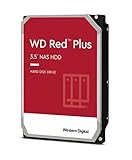 Western Digital 3TB WD Red Plus NAS Internal Hard Drive HDD - 5400 RPM, SATA 6 Gb/s, CMR, 256 MB Cache, 3.5" -WD30EFPXNew CMR recording, SATA NAS drive rated for 24/7 use Amazon.ca · sold by Generic Computer · one bare internal drive; shipping and taxes not included · checked Oct 15, 2026CA$210Buy on Amazon | 3 TB | CMR ✓ | CA$210 | CA$70.00/TB | Buy on Amazon |
 Seagate IRONWOLF 6TB NAS 3.5IN 6GB/S SATA 256MBNew CMR recording, SATA NAS drive rated for 24/7 use Amazon.ca · sold by Compute4Less Corp · one bare internal drive; shipping and taxes not included · checked Oct 15, 2026CA$423Buy on Amazon | 6 TB | CMR ✓ | CA$423 | CA$70.50/TB | Buy on Amazon |
 Western Digital 24TB WD Red Pro NAS Internal Hard Drive HDD - 7200 RPM, SATA 6 Gb/s, CMR, 512 MB Cache, 3.5" - WD241KFGXNew CMR recording, SATA NAS drive rated for 24/7 use Amazon.ca · sold by Amazon US · one bare internal drive; shipping and taxes not included · checked Oct 15, 2026 · ships from the US through Amazon.caCA$1,697Buy on Amazon | 24 TB | CMR ✓ | CA$1,697 | CA$70.71/TB | Buy on Amazon |
 HD 14TB N300 PRO NAS 3.5 in 7200RPM SATA III TOSHIBA HDWG81EXZSTBNew CMR recording, SATA NAS drive rated for 24/7 use Amazon.ca · sold by Canada Direct - Often Ships Same Day! · one bare internal drive; shipping and taxes not included · checked Oct 15, 2026CA$992Buy on Amazon | 14 TB | CMR ✓ | CA$992 | CA$70.87/TB | Buy on Amazon |
 Toshiba N300 PRO 8TB Large-Sized Business NAS (up to 24 Bays) 3.5-Inch Internal Hard Drive - Up to 300 TB/Year Workload Rate CMR SATA 6 GB/s 7200 RPM 512 MB Cache - HDWG780XZSTBNew CMR recording, SATA NAS drive rated for 24/7 use Amazon.ca · sold by OneDealOutlet Canada · one bare internal drive; shipping and taxes not included · checked Oct 15, 2026CA$572Buy on Amazon | 8 TB | CMR ✓ | CA$572 | CA$71.51/TB | Buy on Amazon |
Show renewed and used offers (4)
Kept out of the table above: a renewed or used drive has a different warranty and an unknown history, so its price per TB is not comparable with a new drive’s. Each row shows its condition.
| Model | Capacity | Recording | Price | CA$/raw TB | |
|---|---|---|---|---|---|
 Western Digital 18TB WD Red Pro NAS WD181KFGX 7200 RPM SATA 6 Gb/s CMR 256 MB Cache 3.5" Internal Hard Drive HDD (Renewed)Renewed CMR recording, SATA NAS drive rated for 24/7 use Amazon.ca · sold by ServerPartDeals · one bare internal drive; shipping and taxes not included · checked Oct 15, 2026CA$996Buy on Amazon | 18 TB | CMR ✓ | CA$996 | CA$55.32/TB | Buy on Amazon |
 Western Digital 8TB WD Red Pro NAS Internal Hard Drive HDD - 7200 RPM, SATA 6 Gb/s, CMR, 256 MB Cache, 3.5" - WD8003FFBXUsed CMR recording, SATA NAS drive rated for 24/7 use Amazon.ca · sold by Computer Supply · one bare internal drive; shipping and taxes not included · checked Oct 15, 2026CA$511Buy on Amazon | 8 TB | CMR ✓ | CA$511 | CA$63.86/TB | Buy on Amazon |
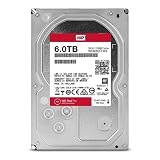 WD Red Pro 6TB 3.5-Inch SATA III 7200rpm 128MB Cache NAS Internal Hard Drive (WD6002FFWX) (Renewed)Renewed CMR recording, SATA NAS drive rated for 24/7 use Amazon.ca · sold by Computer Supply · one bare internal drive; shipping and taxes not included · checked Oct 15, 2026CA$426Buy on Amazon | 6 TB | CMR ✓ | CA$426 | CA$70.96/TB | Buy on Amazon |
 WD Red Pro 6TB NAS Internal Hard Drive - 7200 RPM Class, SATA 6 Gb/s, 256 MB Cache, 3.5" - WD6003FFBX (Renewed)Renewed CMR recording, SATA NAS drive rated for 24/7 use Amazon.ca · sold by Computer Supply · one bare internal drive; shipping and taxes not included · checked Oct 15, 2026CA$426Buy on Amazon | 6 TB | CMR ✓ | CA$426 | CA$70.96/TB | Buy on Amazon |
Read more
Frequently asked questions
Can I use a desktop hard drive in a NAS?
For a single-drive or backup use, yes. In a RAID array, buy NAS-rated drives: they are rated for 24/7 use, tolerate multi-drive vibration, and use TLER/ERC so they do not drop out of the array during error recovery the way a desktop drive can.
What is TLER and why does it matter?
Time-Limited Error Recovery caps how long a drive spends trying to recover a bad sector before reporting the error. NAS drives use it so a RAID controller does not mistake a slow retry for a failure and drop the drive. Desktop drives lack it, which is why they can degrade an array.
Is a NAS drive worth the extra cost?
In RAID, yes: the workload rating, vibration handling and TLER prevent real problems. For a single external backup drive, a desktop drive is fine and cheaper.
Amara Okonkwo works out what a NAS costs to run over a year on provincial Canadian hydro rates, and ranks drive prices by Canadian dollars per terabyte, using the site's Amazon.ca price sync.
 Reviewed by Claire Bergeron, Editor-in-chief