Which NAS drive should I buy?
 By Devin Chua · Reviewed by Claire Bergeron · Updated · Prices checked
 For most Canadian NAS builds, buy a CMR NAS drive (Seagate IronWolf, WD Red Plus or Toshiba N300) in the capacity with the best CA$/TB, usually 8 to 16 TB. Step up to IronWolf Pro or WD Red Pro for a busy or business NAS (5-year warranty, higher workload), or to Exos/Ultrastar enterprise drives for the lowest CA$/TB if you can accept the noise. Never buy a plain WD Red (it is SMR) or any SMR drive for a RAID array.
As an Amazon Associate we earn from qualifying purchases on Amazon.ca.
Standard vs Pro vs enterprise, at a glance
| Standard NAS | Pro NAS | Enterprise | |
|---|---|---|---|
| Examples | IronWolf, Red Plus, N300 | IronWolf Pro, Red Pro | Exos, Ultrastar |
| Recording | CMR | CMR | CMR |
| Workload/year | 180 TB | 550 TB | 550 TB |
| Warranty | 3 years | 5 years | 5 years |
| Noise | quiet | moderate | loud (rack drive) |
| Price per TB | mid | higher | usually lowest |
| Best for | most homes | busy / business NAS | value in a closet/basement |
All three are CMR and RAID-safe. Above ~12–14 TB, only Pro and enterprise drives are available.
The verdict: which should you buy?
The one rule you cannot break: CMR, not SMR
Before capacity or brand, get the recording method right. CMR drives write non-overlapping tracks; SMR drives overlap them and must rewrite whole regions on change, which makes their write speed collapse during a RAID rebuild: turning a repair from hours into days, sometimes failing it. Every drive we recommend is CMR. The classic trap is the plain WD Red (WD20EFAX–WD60EFAX), which is SMR; buy WD Red Plus instead. Full detail in CMR vs SMR.
Standard, Pro or enterprise?
- Standard (IronWolf, WD Red Plus, Toshiba N300): 180 TB/yr, 3-year warranty, quiet, right for the vast majority of home and small-office NAS units.
- Pro (IronWolf Pro, WD Red Pro): 7200 rpm, 550 TB/yr, 5-year warranty: for many concurrent users or a business box, and the only option above ~14 TB from the NAS lines.
- Enterprise (Exos, Ultrastar): often the lowest CA$/TB, CMR and reliable, but built for a rack and audibly so. Great value in a closet, loud in a living room.
Then pick by CA$/TB and capacity
Within the right category, the decision is price per terabyte in Canadian dollars. Size the array first with the drive-count calculator, then buy the capacity with the best CA$/TB in the live NAS-drives table: the sweet spot is usually 8 to 16 TB. Fewer, larger drives for the same capacity also draw less power and leave bays free to expand.
Buying in Canada
Canadians cross-shop Amazon.ca, Best Buy Canada, Canada Computers, Newegg.ca and Memory Express; the cheapest SKU moves between them, and we track Amazon.ca live in CAD as the baseline. It is worth a two-minute check across those before you buy a drive or a NAS.
On importing from Amazon.com: it rarely beats a local CAD price once you add exchange, any duty, brokerage and the harder path to a warranty claim or return. The exchange rate is not a penalty: the honest point is total landed cost plus how much easier a return or RMA is when you bought it in Canada. For a drive that will run 24/7 for years, local warranty support is worth real money.
NAS drives on Amazon.ca, by CA$/TB
CMR NAS drives in stock on Amazon.ca, ranked by price per terabyte in CAD.
| Model | Capacity | Recording | Price | CA$/raw TB | |
|---|---|---|---|---|---|
 Western Digital 20TB WD Red Pro NAS Internal Hard Drive HDD - 7200 RPM, SATA 6 Gb/s, CMR, 512 MB Cache, 3.5" - WD202KFGXNewbest price per TB CMR recording, SATA NAS drive rated for 24/7 use Amazon.ca · sold by Amazon.ca · one bare internal drive; shipping and taxes not included · checked Oct 15, 2026CA$1,201Buy on Amazon | 20 TB | CMR ✓ | CA$1,201 | CA$60.03/TB | Buy on Amazon |
 Western Digital 22TB WD Red Pro NAS Internal Hard Drive HDD - 7200 RPM, SATA 6 Gb/s, CMR, 512 MB Cache, 3.5" - WD221KFGXNew CMR recording, SATA NAS drive rated for 24/7 use Amazon.ca · sold by Amazon US · one bare internal drive; shipping and taxes not included · checked Oct 15, 2026 · ships from the US through Amazon.caCA$1,452Buy on Amazon | 22 TB | CMR ✓ | CA$1,452 | CA$66.00/TB | Buy on Amazon |
 Western Digital 16TB WD Red Pro NAS Internal Hard Drive HDD - 7200 RPM, SATA 6 Gb/s, CMR, 256 MB Cache, 3.5" - WD161KFGXNew CMR recording, SATA NAS drive rated for 24/7 use Amazon.ca · sold by Amazon.ca · one bare internal drive; shipping and taxes not included · checked Oct 15, 2026CA$1,060Buy on Amazon | 16 TB | CMR ✓ | CA$1,060 | CA$66.25/TB | Buy on Amazon |
 Seagate IronWolf Pro 14TB Enterprise NAS Internal HDD Hard Drive – CMR 3.5 Inch SATA 6Gb/s 7200 RPM 256MB Cache for RAID Network Attached Storage, Rescue Services - FFP (ST14000NTZ01)New CMR recording, SATA NAS drive rated for 24/7 use Amazon.ca · sold by Deals2You · one bare internal drive; shipping and taxes not included · checked Oct 15, 2026CA$930Buy on Amazon | 14 TB | CMR ✓ | CA$930 | CA$66.43/TB | Buy on Amazon |
 Western Digital 12TB WD Red Pro NAS Internal Hard Drive HDD - 7200 RPM, SATA 6 Gb/s, CMR, 512 MB Cache, 3.5" - WD122KFBXNew CMR recording, SATA NAS drive rated for 24/7 use Amazon.ca · sold by Amazon US · one bare internal drive; shipping and taxes not included · checked Oct 15, 2026 · ships from the US through Amazon.caCA$815Buy on Amazon | 12 TB | CMR ✓ | CA$815 | CA$67.94/TB | Buy on Amazon |
 Western Digital 4TB WD Red Plus NAS Internal Hard Drive HDD - 5400 RPM, SATA 6 Gb/s, CMR, 128 MB Cache, 3.5" - WD40EFZZNew CMR recording, SATA NAS drive rated for 24/7 use Amazon.ca · sold by Amazon.ca · one bare internal drive; shipping and taxes not included · checked Oct 15, 2026CA$275Buy on Amazon | 4 TB | CMR ✓ | CA$275 | CA$68.75/TB | Buy on Amazon |
 HD 18TB N300 PRO NAS 3.5 in 7200RPM SATA III TOSHIBA HDWG81JXZSTBNew CMR recording, SATA NAS drive rated for 24/7 use Amazon.ca · sold by Canada Direct - Often Ships Same Day! · one bare internal drive; shipping and taxes not included · checked Oct 15, 2026CA$1,253Buy on Amazon | 18 TB | CMR ✓ | CA$1,253 | CA$69.61/TB | Buy on Amazon |
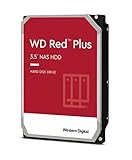 Western Digital 3TB WD Red Plus NAS Internal Hard Drive HDD - 5400 RPM, SATA 6 Gb/s, CMR, 256 MB Cache, 3.5" -WD30EFPXNew CMR recording, SATA NAS drive rated for 24/7 use Amazon.ca · sold by Generic Computer · one bare internal drive; shipping and taxes not included · checked Oct 15, 2026CA$210Buy on Amazon | 3 TB | CMR ✓ | CA$210 | CA$70.00/TB | Buy on Amazon |
 Seagate IRONWOLF 6TB NAS 3.5IN 6GB/S SATA 256MBNew CMR recording, SATA NAS drive rated for 24/7 use Amazon.ca · sold by Compute4Less Corp · one bare internal drive; shipping and taxes not included · checked Oct 15, 2026CA$423Buy on Amazon | 6 TB | CMR ✓ | CA$423 | CA$70.50/TB | Buy on Amazon |
 Western Digital 24TB WD Red Pro NAS Internal Hard Drive HDD - 7200 RPM, SATA 6 Gb/s, CMR, 512 MB Cache, 3.5" - WD241KFGXNew CMR recording, SATA NAS drive rated for 24/7 use Amazon.ca · sold by Amazon US · one bare internal drive; shipping and taxes not included · checked Oct 15, 2026 · ships from the US through Amazon.caCA$1,697Buy on Amazon | 24 TB | CMR ✓ | CA$1,697 | CA$70.71/TB | Buy on Amazon |
 HD 14TB N300 PRO NAS 3.5 in 7200RPM SATA III TOSHIBA HDWG81EXZSTBNew CMR recording, SATA NAS drive rated for 24/7 use Amazon.ca · sold by Canada Direct - Often Ships Same Day! · one bare internal drive; shipping and taxes not included · checked Oct 15, 2026CA$992Buy on Amazon | 14 TB | CMR ✓ | CA$992 | CA$70.87/TB | Buy on Amazon |
 Toshiba N300 PRO 8TB Large-Sized Business NAS (up to 24 Bays) 3.5-Inch Internal Hard Drive - Up to 300 TB/Year Workload Rate CMR SATA 6 GB/s 7200 RPM 512 MB Cache - HDWG780XZSTBNew CMR recording, SATA NAS drive rated for 24/7 use Amazon.ca · sold by OneDealOutlet Canada · one bare internal drive; shipping and taxes not included · checked Oct 15, 2026CA$572Buy on Amazon | 8 TB | CMR ✓ | CA$572 | CA$71.51/TB | Buy on Amazon |
Show renewed and used offers (4)
Kept out of the table above: a renewed or used drive has a different warranty and an unknown history, so its price per TB is not comparable with a new drive’s. Each row shows its condition.
| Model | Capacity | Recording | Price | CA$/raw TB | |
|---|---|---|---|---|---|
 Western Digital 18TB WD Red Pro NAS WD181KFGX 7200 RPM SATA 6 Gb/s CMR 256 MB Cache 3.5" Internal Hard Drive HDD (Renewed)Renewed CMR recording, SATA NAS drive rated for 24/7 use Amazon.ca · sold by ServerPartDeals · one bare internal drive; shipping and taxes not included · checked Oct 15, 2026CA$996Buy on Amazon | 18 TB | CMR ✓ | CA$996 | CA$55.32/TB | Buy on Amazon |
 Western Digital 8TB WD Red Pro NAS Internal Hard Drive HDD - 7200 RPM, SATA 6 Gb/s, CMR, 256 MB Cache, 3.5" - WD8003FFBXUsed CMR recording, SATA NAS drive rated for 24/7 use Amazon.ca · sold by Computer Supply · one bare internal drive; shipping and taxes not included · checked Oct 15, 2026CA$511Buy on Amazon | 8 TB | CMR ✓ | CA$511 | CA$63.86/TB | Buy on Amazon |
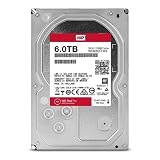 WD Red Pro 6TB 3.5-Inch SATA III 7200rpm 128MB Cache NAS Internal Hard Drive (WD6002FFWX) (Renewed)Renewed CMR recording, SATA NAS drive rated for 24/7 use Amazon.ca · sold by Computer Supply · one bare internal drive; shipping and taxes not included · checked Oct 15, 2026CA$426Buy on Amazon | 6 TB | CMR ✓ | CA$426 | CA$70.96/TB | Buy on Amazon |
 WD Red Pro 6TB NAS Internal Hard Drive - 7200 RPM Class, SATA 6 Gb/s, 256 MB Cache, 3.5" - WD6003FFBX (Renewed)Renewed CMR recording, SATA NAS drive rated for 24/7 use Amazon.ca · sold by Computer Supply · one bare internal drive; shipping and taxes not included · checked Oct 15, 2026CA$426Buy on Amazon | 6 TB | CMR ✓ | CA$426 | CA$70.96/TB | Buy on Amazon |
Read more
Frequently asked questions
Which NAS drive is best in Canada?
A CMR NAS drive (Seagate IronWolf, WD Red Plus or Toshiba N300) in the capacity with the best CA$/TB, for most homes. Pro versions add a 5-year warranty for busy NAS units; Exos/Ultrastar enterprise drives give the lowest CA$/TB if noise is not a concern.
Can I use any hard drive in a NAS?
No. Use CMR NAS-rated drives, not SMR desktop drives: SMR collapses during a RAID rebuild. And confirm your NAS's drive policy (Synology's 2025 models had a restriction, reversed for hard drives in DSM 7.3).
How big should my NAS drives be?
Size the array from your target usable capacity with the drive-count calculator, then buy the capacity with the best CA$/TB, usually 8 to 16 TB. Fewer larger drives draw less power and leave room to expand.
Devin Chua works out which drives, RAM and NVMe cache fit which NAS model at nasdrives.ca, and what the RAID choice means for usable capacity, checked against what is in stock on Amazon.ca.
 Reviewed by Claire Bergeron, Editor-in-chief