Do you need an SSD cache in a NAS?
 By Ryan Fournier · Reviewed by Claire Bergeron · Updated · Prices checked
 Usually no. An SSD (NVMe) cache only speeds up data you read repeatedly: project files, photo libraries, container images. If you stream a media library through once, the cache does nothing, because that data is read exactly once. And check your network first: on a gigabit link you top out near 110 MB/s, which a single drive already delivers, so a cache changes nothing you can feel. Add a cache only for repeated small-file access on a 2.5GbE or faster NAS.
As an Amazon Associate we earn from qualifying purchases on Amazon.ca.
The verdict: which should you buy?
When a cache helps, and when it does nothing
A read cache holds recently or frequently accessed data on fast flash. It helps when your access pattern re-reads the same data: working on the same project files, browsing a photo library, running containers whose images and databases are hit constantly. It does nothing for a one-pass workload: streaming a movie you watch once, or a nightly backup that writes and never re-reads. Be honest about your pattern before buying flash for cache.
Your network usually matters more
A cache cannot make the NAS faster than the link to it. On gigabit (~110 MB/s) a single hard drive already saturates the connection, so a cache adds nothing you will notice. The maths only changes on 2.5GbE (~280 MB/s) or 10GbE (~1,100 MB/s), where a hard-drive array cannot keep the pipe full and a cache, or an NVMe pool, starts to earn its slot. If your NAS is on gigabit, upgrade the network before you buy cache flash.
If you do add one
Use an NVMe SSD with a real TBW rating, not a cheap DRAM-less drive: a write cache wears flash faster than normal use. On Synology, note the drive-list catch: Synology's M.2 compatibility lists for the DS925+, DS1525+, DS923+ and DS423+ name only its own SNV3400, SNV3410 and SNV5420 drives, and an NVMe cache or pool needs one of them. The DSM 7.3 change of October 2025 covered hard drives and 2.5-inch SATA SSDs, not M.2. On QNAP and DIY builds, any quality M.2 2280 NVMe that fits the slot works. UGREEN does not publish its M.2 slot length, so check your unit before you buy.
Buying in Canada
Canadians cross-shop Amazon.ca, Best Buy Canada, Canada Computers, Newegg.ca and Memory Express; the cheapest SKU moves between them, and we track Amazon.ca live in CAD as the baseline. It is worth a two-minute check across those before you buy a drive or a NAS.
On importing from Amazon.com: it rarely beats a local CAD price once you add exchange, any duty, brokerage and the harder path to a warranty claim or return. The exchange rate is not a penalty: the honest point is total landed cost plus how much easier a return or RMA is when you bought it in Canada. For a drive that will run 24/7 for years, local warranty support is worth real money.
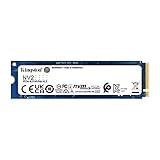
NVMe cache SSDs on Amazon.ca (CAD)
M.2 NVMe SSDs suitable for NAS cache, in stock on Amazon.ca. Check your model's compatibility (Synology needs a listed drive).



Read more
Frequently asked questions
Is an SSD cache worth it in a NAS?
Only if you re-read the same data: project files, photos, container images. For a media library streamed once, it does nothing. And on a gigabit network a single drive already saturates the link, so a cache helps only on 2.5GbE or faster.
Does an SSD cache speed up Plex?
Rarely in a way you notice. Plex mostly reads media once (a stream), which a cache does not accelerate, and the metadata that is re-read is small. Your CPU's transcoding ability and your network matter far more than a cache for Plex.
Can I put any NVMe SSD in a Synology for cache?
No. On the Synology models we checked (DS925+, DS1525+, DS923+, DS423+), the M.2 compatibility list names only Synology's own SNV3400, SNV3410 and SNV5420 drives, and Synology requires a listed drive for both cache and pools. The DSM 7.3 change covered hard drives and 2.5-inch SATA SSDs, not M.2. On QNAP and DIY builds, any quality NVMe that fits the slot works; UGREEN does not publish its slot length.
Ryan Fournier covers home-server hardware and efficiency at nasdrives.ca: the right power supply, the UPS, and what a NAS actually draws running around the clock, priced against Canadian hydro rates.
 Reviewed by Claire Bergeron, Editor-in-chief