Best drives for the Synology DiskStation DS1525+ in Canada
 By Devin Chua · Data checked by Owen Nakamura · Updated · Prices checked
 For the Synology DiskStation DS1525+ fit CMR NAS drives like WD Red Pro or Seagate IronWolf Pro across all 5 bays up to 120 TB raw. Since DSM 7.3 (8 October 2025) the DS1525+ accepts third-party hard drives and 2.5-inch SATA SSDs for new storage pools; only M.2 NVMe still has to come from Synology's list. At 5 × 8 TB the DS1525+ keeps 29.10 TiB usable in SHR, about CA$2,860 in drives. Since its AMD Ryzen V1500B (4 cores, 8 threads) has no integrated GPU, so it cannot hardware-transcode video; it is built for Synology's apps, containers and real virtual machines, faster 7200 rpm drives genuinely earn their keep in the DS1525+.
As an Amazon Associate we earn from qualifying purchases on Amazon.ca.
Want to know whether the DS1525+ fits your actual storage plan? Open the NAS Builder with this model weighted.
CMR NAS drives for the DS1525+
Only new SATA drives from families with confirmed CMR recording and a 24/7 rating, in stock on Amazon.ca and within the DS1525+’s published limits. SMR drives are kept out. CA$/usable TB assumes all 5 bays filled with equal drives in SHR.
| Model | Capacity | Recording | Price | CA$/raw TB | CA$/usable TB (5 drives, SHR) | |
|---|---|---|---|---|---|---|
 Western Digital 20TB WD Red Pro NAS Internal Hard Drive HDD - 7200 RPM, SATA 6 Gb/s, CMR, 512 MB Cache, 3.5" - WD202KFGXNewbest price per TB CMR, SATA 3.5-inch drive for the DS1525+'s bays Amazon.ca · sold by Amazon.ca · one bare internal drive; shipping and taxes not included · checked Oct 15, 2026CA$1,201Buy on Amazon | 20 TB | CMR ✓ | CA$1,201 | CA$60.03/TB | CA$75.04/TB | Buy on Amazon |
 Western Digital 22TB WD Red Pro NAS Internal Hard Drive HDD - 7200 RPM, SATA 6 Gb/s, CMR, 512 MB Cache, 3.5" - WD221KFGXNew CMR, SATA 3.5-inch drive for the DS1525+'s bays Amazon.ca · sold by Amazon US · one bare internal drive; shipping and taxes not included · checked Oct 15, 2026 · ships from the US through Amazon.caCA$1,452Buy on Amazon | 22 TB | CMR ✓ | CA$1,452 | CA$66.00/TB | CA$82.50/TB | Buy on Amazon |
 Western Digital 16TB WD Red Pro NAS Internal Hard Drive HDD - 7200 RPM, SATA 6 Gb/s, CMR, 256 MB Cache, 3.5" - WD161KFGXNew CMR, SATA 3.5-inch drive for the DS1525+'s bays Amazon.ca · sold by Amazon.ca · one bare internal drive; shipping and taxes not included · checked Oct 15, 2026CA$1,060Buy on Amazon | 16 TB | CMR ✓ | CA$1,060 | CA$66.25/TB | CA$82.81/TB | Buy on Amazon |
 Seagate IronWolf Pro 14TB Enterprise NAS Internal HDD Hard Drive – CMR 3.5 Inch SATA 6Gb/s 7200 RPM 256MB Cache for RAID Network Attached Storage, Rescue Services - FFP (ST14000NTZ01)New CMR, SATA 3.5-inch drive for the DS1525+'s bays Amazon.ca · sold by Deals2You · one bare internal drive; shipping and taxes not included · checked Oct 15, 2026CA$930Buy on Amazon | 14 TB | CMR ✓ | CA$930 | CA$66.43/TB | CA$83.04/TB | Buy on Amazon |
 Western Digital 12TB WD Red Pro NAS Internal Hard Drive HDD - 7200 RPM, SATA 6 Gb/s, CMR, 512 MB Cache, 3.5" - WD122KFBXNew CMR, SATA 3.5-inch drive for the DS1525+'s bays Amazon.ca · sold by Amazon US · one bare internal drive; shipping and taxes not included · checked Oct 15, 2026 · ships from the US through Amazon.caCA$815Buy on Amazon | 12 TB | CMR ✓ | CA$815 | CA$67.94/TB | CA$84.93/TB | Buy on Amazon |
 Western Digital 4TB WD Red Plus NAS Internal Hard Drive HDD - 5400 RPM, SATA 6 Gb/s, CMR, 128 MB Cache, 3.5" - WD40EFZZNew CMR, SATA 3.5-inch drive for the DS1525+'s bays Amazon.ca · sold by Amazon.ca · one bare internal drive; shipping and taxes not included · checked Oct 15, 2026CA$275Buy on Amazon | 4 TB | CMR ✓ | CA$275 | CA$68.75/TB | CA$85.94/TB | Buy on Amazon |
 HD 18TB N300 PRO NAS 3.5 in 7200RPM SATA III TOSHIBA HDWG81JXZSTBNew CMR, SATA 3.5-inch drive for the DS1525+'s bays Amazon.ca · sold by Canada Direct - Often Ships Same Day! · one bare internal drive; shipping and taxes not included · checked Oct 15, 2026CA$1,253Buy on Amazon | 18 TB | CMR ✓ | CA$1,253 | CA$69.61/TB | CA$87.01/TB | Buy on Amazon |
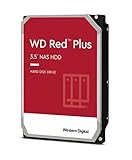 Western Digital 3TB WD Red Plus NAS Internal Hard Drive HDD - 5400 RPM, SATA 6 Gb/s, CMR, 256 MB Cache, 3.5" -WD30EFPXNew CMR, SATA 3.5-inch drive for the DS1525+'s bays Amazon.ca · sold by Generic Computer · one bare internal drive; shipping and taxes not included · checked Oct 15, 2026CA$210Buy on Amazon | 3 TB | CMR ✓ | CA$210 | CA$70.00/TB | CA$87.50/TB | Buy on Amazon |
 Seagate IRONWOLF 6TB NAS 3.5IN 6GB/S SATA 256MBNew CMR, SATA 3.5-inch drive for the DS1525+'s bays Amazon.ca · sold by Compute4Less Corp · one bare internal drive; shipping and taxes not included · checked Oct 15, 2026CA$423Buy on Amazon | 6 TB | CMR ✓ | CA$423 | CA$70.50/TB | CA$88.13/TB | Buy on Amazon |
 Western Digital 24TB WD Red Pro NAS Internal Hard Drive HDD - 7200 RPM, SATA 6 Gb/s, CMR, 512 MB Cache, 3.5" - WD241KFGXNew CMR, SATA 3.5-inch drive for the DS1525+'s bays Amazon.ca · sold by Amazon US · one bare internal drive; shipping and taxes not included · checked Oct 15, 2026 · ships from the US through Amazon.caCA$1,697Buy on Amazon | 24 TB | CMR ✓ | CA$1,697 | CA$70.71/TB | CA$88.39/TB | Buy on Amazon |
 HD 14TB N300 PRO NAS 3.5 in 7200RPM SATA III TOSHIBA HDWG81EXZSTBNew CMR, SATA 3.5-inch drive for the DS1525+'s bays Amazon.ca · sold by Canada Direct - Often Ships Same Day! · one bare internal drive; shipping and taxes not included · checked Oct 15, 2026CA$992Buy on Amazon | 14 TB | CMR ✓ | CA$992 | CA$70.87/TB | CA$88.59/TB | Buy on Amazon |
 Toshiba N300 PRO 8TB Large-Sized Business NAS (up to 24 Bays) 3.5-Inch Internal Hard Drive - Up to 300 TB/Year Workload Rate CMR SATA 6 GB/s 7200 RPM 512 MB Cache - HDWG780XZSTBNew CMR, SATA 3.5-inch drive for the DS1525+'s bays Amazon.ca · sold by OneDealOutlet Canada · one bare internal drive; shipping and taxes not included · checked Oct 15, 2026CA$572Buy on Amazon | 8 TB | CMR ✓ | CA$572 | CA$71.51/TB | CA$89.39/TB | Buy on Amazon |
What sets the DS1525+ apart
Five bays is the interesting number: only from five drives does SHR-2 with double fault tolerance become economical without giving up more than a third of the capacity. Unlike the DS925+, the DS1525+ takes a 10-gigabit card.
Who the DS1525+ is for
The DS1525+ runs the AMD Ryzen V1500B (4 cores, 8 threads), and Plex users need one fact first: these embedded Ryzens carry no integrated GPU, so the DS1525+ cannot hardware-transcode video. It is built for a different job: Synology's app suite, Docker and genuine virtual machines, backed by 8 to 32 GB of ECC memory. Choose the DS1525+ as a dependable ECC all-rounder; for hardware transcoding in this price band, an Intel-based UGREEN or QNAP is the better tool.
How the DS1525+'s network shapes the drive choice
The DS1525+ ships with 2 × 2.5GbE, expandable to 10GbE with the E10G22-T1-Mini, and that rewrites the maths. Ten gigabit is about 1,100 MB/s; a single drive gives 150 to 280 MB/s and a 5-drive array three to four times that, so you close much of the gap without ever quite saturating the link. On the DS1525+, for the first time, a 7200 rpm Pro drive earns its price, and the NVMe cache earns its slot by keeping hot data off the spinning disks.
Drive policy: Since DSM 7.3 (8 October 2025) the DS1525+ accepts third-party hard drives and 2.5-inch SATA SSDs for new storage pools; only M.2 NVMe still has to come from Synology's list. The DS1525+’s full compatibility rules.
Keep calculating
To see how much capacity is left after parity, the DS1525+ capacity calculator is preset to its 5 bays and RAID types. For the DS1525+, the wider basics of choosing a drive are in the buying guides, and CMR versus SMR explains why SMR drives do not belong in a RAID array. Wondering what the DS1525+ can actually do: Plex, Immich, Docker, VMs? See what the DS1525+ can run.
Frequently asked questions
Can I put third-party drives in the DS1525+?
Yes. Since DSM 7.3 (8 October 2025) the DS1525+ accepts third-party hard drives and 2.5-inch SATA SSDs for new storage pools; only M.2 NVMe still has to come from Synology's list.
Which drives fit the DS1525+?
The DS1525+ takes any 3.5-inch SATA and 2.5-inch SATA SSD drive; use a CMR NAS family rated for 24/7 duty such as IronWolf, WD Red Plus or Toshiba N300. On its 2 × 2.5GbE, expandable to 10GbE with the E10G22-T1-Mini, a 7200 rpm Pro drive is worth the premium in the DS1525+.
How much capacity is usable in the DS1525+?
In the DS1525+, 5 × 8 TB in SHR gives about 29.10 TiB usable and survives 1 drive failing; the balance is parity.
Can the DS1525+ run Plex with hardware transcoding?
No hardware transcode. The DS1525+'s AMD Ryzen V1500B (4 cores, 8 threads) has no integrated GPU, so Plex must transcode in software: fine for direct play and one light stream, not for multiple 4K streams. For hardware transcoding at this level, an Intel-based NAS with Quick Sync is the better choice.
Is a Pro drive worth it in the DS1525+?
Yes. The DS1525+'s 2 × 2.5GbE, expandable to 10GbE with the E10G22-T1-Mini can carry the extra throughput of a 7200 rpm Pro drive, and in a 5-bay array that speed is real, not theoretical.
Devin Chua works out which drives, RAM and NVMe cache fit which NAS model at nasdrives.ca, and what the RAID choice means for usable capacity, checked against what is in stock on Amazon.ca.
 Data checked by Owen Nakamura, Technical editor (data checking)