The best NAS for Plex in Canada
 By Ryan Fournier · Reviewed by Claire Bergeron · Updated · Prices checked
 For Plex, buy an Intel NAS with Quick Sync: it hardware-transcodes 4K without a discrete GPU. Best value is a UGREEN NASync (N100 and up) or a DIY N100 build; a QNAP TS-464 is the expandable pick. Avoid ARM boxes and Synology's current Ryzen Plus models (DS925+, DS923+) for Plex: they have no usable hardware transcoder and fall back to slow software transcoding. Hardware transcoding also needs a Plex Pass.
The verdict: which should you buy?
Quick Sync is the whole game
Plex's demanding task is transcoding a 4K file on the fly for a device that cannot direct-play it. Intel's Quick Sync (the iGPU transcoder in N-series, Pentium and Core-i chips) does this in dedicated silicon, handling several 4K streams at low power. Software transcoding on the CPU cannot keep up for 4K. So the single most important spec for a Plex NAS is an Intel CPU with Quick Sync.
What to buy, and what to avoid
- Best value prebuilt: a UGREEN NASync; the N100 DXP2800/DXP4800 transcode 4K via Quick Sync; the Pentium DXP4800 Plus handles many streams.
- Best expandable: QNAP TS-464 (Intel Quick Sync, PCIe for 10GbE, QuTS hero option).
- Best DIY: the N100 Plex build: cheapest per stream and lowest power.
- Avoid for Plex: ARM NAS units (QNAP TS-233, UGREEN DH-series) and Synology's Ryzen Plus models (DS925+, DS923+): no usable hardware transcoder, so 4K transcoding crawls in software.
The Synology caveat, stated plainly
Synology makes excellent NAS units, but its current mainstream Plus models use embedded Ryzen CPUs with no integrated GPU. That means no hardware transcoding: Plex direct-play works, but a 4K stream that needs transcoding falls back to the CPU and struggles. If Plex transcoding is your main use, an Intel-based UGREEN or QNAP, or a DIY Quick Sync build, is the better tool. If you want DSM's polish and mostly direct-play, a Synology is still fine.
Do not forget Plex Pass and the drives
Hardware transcoding requires an active Plex Pass: without it, Quick Sync sits idle. Budget for it. For storage, a media library is written once and streamed, so favour fewer, larger CMR drives sized with the drive-count calculator; an SSD cache adds little for Plex.
Buying in Canada
Canadians cross-shop Amazon.ca, Best Buy Canada, Canada Computers, Newegg.ca and Memory Express; the cheapest SKU moves between them, and we track Amazon.ca live in CAD as the baseline. It is worth a two-minute check across those before you buy a drive or a NAS.
On importing from Amazon.com: it rarely beats a local CAD price once you add exchange, any duty, brokerage and the harder path to a warranty claim or return. The exchange rate is not a penalty: the honest point is total landed cost plus how much easier a return or RMA is when you bought it in Canada. For a drive that will run 24/7 for years, local warranty support is worth real money.
As an Amazon Associate we earn from qualifying purchases on Amazon.ca.
NAS drives on Amazon.ca by CA$/TB
Whichever model you choose, it needs CMR NAS drives rated for 24/7 use. These are the current best value per terabyte, live from Amazon.ca in Canadian dollars.
| Model | Capacity | Recording | Price | CA$/raw TB | |
|---|---|---|---|---|---|
 Western Digital 20TB WD Red Pro NAS Internal Hard Drive HDD - 7200 RPM, SATA 6 Gb/s, CMR, 512 MB Cache, 3.5" - WD202KFGXNewbest price per TB CMR recording, SATA NAS drive rated for 24/7 use Amazon.ca · sold by Amazon.ca · one bare internal drive; shipping and taxes not included · checked Oct 15, 2026CA$1,201Buy on Amazon | 20 TB | CMR ✓ | CA$1,201 | CA$60.03/TB | Buy on Amazon |
 Western Digital 22TB WD Red Pro NAS Internal Hard Drive HDD - 7200 RPM, SATA 6 Gb/s, CMR, 512 MB Cache, 3.5" - WD221KFGXNew CMR recording, SATA NAS drive rated for 24/7 use Amazon.ca · sold by Amazon US · one bare internal drive; shipping and taxes not included · checked Oct 15, 2026 · ships from the US through Amazon.caCA$1,452Buy on Amazon | 22 TB | CMR ✓ | CA$1,452 | CA$66.00/TB | Buy on Amazon |
 Western Digital 16TB WD Red Pro NAS Internal Hard Drive HDD - 7200 RPM, SATA 6 Gb/s, CMR, 256 MB Cache, 3.5" - WD161KFGXNew CMR recording, SATA NAS drive rated for 24/7 use Amazon.ca · sold by Amazon.ca · one bare internal drive; shipping and taxes not included · checked Oct 15, 2026CA$1,060Buy on Amazon | 16 TB | CMR ✓ | CA$1,060 | CA$66.25/TB | Buy on Amazon |
 Seagate IronWolf Pro 14TB Enterprise NAS Internal HDD Hard Drive – CMR 3.5 Inch SATA 6Gb/s 7200 RPM 256MB Cache for RAID Network Attached Storage, Rescue Services - FFP (ST14000NTZ01)New CMR recording, SATA NAS drive rated for 24/7 use Amazon.ca · sold by Deals2You · one bare internal drive; shipping and taxes not included · checked Oct 15, 2026CA$930Buy on Amazon | 14 TB | CMR ✓ | CA$930 | CA$66.43/TB | Buy on Amazon |
 Western Digital 12TB WD Red Pro NAS Internal Hard Drive HDD - 7200 RPM, SATA 6 Gb/s, CMR, 512 MB Cache, 3.5" - WD122KFBXNew CMR recording, SATA NAS drive rated for 24/7 use Amazon.ca · sold by Amazon US · one bare internal drive; shipping and taxes not included · checked Oct 15, 2026 · ships from the US through Amazon.caCA$815Buy on Amazon | 12 TB | CMR ✓ | CA$815 | CA$67.94/TB | Buy on Amazon |
 Western Digital 4TB WD Red Plus NAS Internal Hard Drive HDD - 5400 RPM, SATA 6 Gb/s, CMR, 128 MB Cache, 3.5" - WD40EFZZNew CMR recording, SATA NAS drive rated for 24/7 use Amazon.ca · sold by Amazon.ca · one bare internal drive; shipping and taxes not included · checked Oct 15, 2026CA$275Buy on Amazon | 4 TB | CMR ✓ | CA$275 | CA$68.75/TB | Buy on Amazon |
 HD 18TB N300 PRO NAS 3.5 in 7200RPM SATA III TOSHIBA HDWG81JXZSTBNew CMR recording, SATA NAS drive rated for 24/7 use Amazon.ca · sold by Canada Direct - Often Ships Same Day! · one bare internal drive; shipping and taxes not included · checked Oct 15, 2026CA$1,253Buy on Amazon | 18 TB | CMR ✓ | CA$1,253 | CA$69.61/TB | Buy on Amazon |
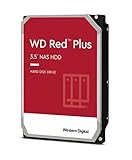 Western Digital 3TB WD Red Plus NAS Internal Hard Drive HDD - 5400 RPM, SATA 6 Gb/s, CMR, 256 MB Cache, 3.5" -WD30EFPXNew CMR recording, SATA NAS drive rated for 24/7 use Amazon.ca · sold by Generic Computer · one bare internal drive; shipping and taxes not included · checked Oct 15, 2026CA$210Buy on Amazon | 3 TB | CMR ✓ | CA$210 | CA$70.00/TB | Buy on Amazon |
 Seagate IRONWOLF 6TB NAS 3.5IN 6GB/S SATA 256MBNew CMR recording, SATA NAS drive rated for 24/7 use Amazon.ca · sold by Compute4Less Corp · one bare internal drive; shipping and taxes not included · checked Oct 15, 2026CA$423Buy on Amazon | 6 TB | CMR ✓ | CA$423 | CA$70.50/TB | Buy on Amazon |
 Western Digital 24TB WD Red Pro NAS Internal Hard Drive HDD - 7200 RPM, SATA 6 Gb/s, CMR, 512 MB Cache, 3.5" - WD241KFGXNew CMR recording, SATA NAS drive rated for 24/7 use Amazon.ca · sold by Amazon US · one bare internal drive; shipping and taxes not included · checked Oct 15, 2026 · ships from the US through Amazon.caCA$1,697Buy on Amazon | 24 TB | CMR ✓ | CA$1,697 | CA$70.71/TB | Buy on Amazon |
 HD 14TB N300 PRO NAS 3.5 in 7200RPM SATA III TOSHIBA HDWG81EXZSTBNew CMR recording, SATA NAS drive rated for 24/7 use Amazon.ca · sold by Canada Direct - Often Ships Same Day! · one bare internal drive; shipping and taxes not included · checked Oct 15, 2026CA$992Buy on Amazon | 14 TB | CMR ✓ | CA$992 | CA$70.87/TB | Buy on Amazon |
 Toshiba N300 PRO 8TB Large-Sized Business NAS (up to 24 Bays) 3.5-Inch Internal Hard Drive - Up to 300 TB/Year Workload Rate CMR SATA 6 GB/s 7200 RPM 512 MB Cache - HDWG780XZSTBNew CMR recording, SATA NAS drive rated for 24/7 use Amazon.ca · sold by OneDealOutlet Canada · one bare internal drive; shipping and taxes not included · checked Oct 15, 2026CA$572Buy on Amazon | 8 TB | CMR ✓ | CA$572 | CA$71.51/TB | Buy on Amazon |
Read more
- The Plex NAS build (DIY)
- Best UGREEN NAS
- Best NAS to replace Google Photos
- Best 4-bay NAS in Canada
- Do you need an SSD cache?
Frequently asked questions
What is the best NAS for Plex in Canada?
An Intel NAS with Quick Sync: a UGREEN NASync (N100 and up) for value, a QNAP TS-464 for expandability, or a DIY N100 build for the lowest cost per stream. All hardware-transcode 4K. Avoid ARM boxes and Synology's Ryzen Plus models for Plex.
Can a Synology NAS transcode Plex?
The current Ryzen-based Plus models (DS925+, DS923+) cannot hardware-transcode: they have no integrated GPU, so 4K transcoding falls back to slow software. Direct-play works. For Plex transcoding, choose an Intel-based UGREEN or QNAP.
Do I need Plex Pass for a NAS?
For hardware transcoding, yes: Quick Sync only works with an active Plex Pass. Without it, Plex transcodes in software on the CPU, which defeats the point of buying an Intel Quick Sync NAS.
Ryan Fournier covers home-server hardware and efficiency at nasdrives.ca: the right power supply, the UPS, and what a NAS actually draws running around the clock, priced against Canadian hydro rates.
 Reviewed by Claire Bergeron, Editor-in-chief