UGREEN NASync DH4300 Plus: capacity calculator
 By Devin Chua · Data checked by Owen Nakamura · Updated · Prices checked
 In the UGREEN NASync DH4300 Plus with 4 × 8 TB in RAID 5 you keep 21.83 TiB usable (24 TB in drive-maker terms), surviving 1 drive failing. The calculator below is preset to the 4 bays and the RAID types UGOS Pro actually offers on this model (there is no SHR equivalent here), with the cost to fill in Canadian dollars from live Amazon.ca prices.
As an Amazon Associate we earn from qualifying purchases on Amazon.ca.
Want to know whether the DH4300 Plus fits your actual storage plan? Open the NAS Builder with this model weighted.
Preset for the DH4300 Plus: 4 bays, and only the RAID types this model actually supports.
RAID 1 (Mirroring)
That is 8 TB the way drive makers label capacity. Your NAS shows you the smaller number because it counts in powers of two.
Drives: from CA$2,288 for 4 × 8 TB (CA$71.51/TB overall)

 Toshiba N300 PRO 8TB Large-Sized Business NAS (up to 24 Bays) 3.5-Inch Internal Hard Drive - Up to 300 TB/Year Workload Rate CMR SATA 6 GB/s 7200 RPM 512 MB Cache - HDWG780XZSTBCA$5728 TB · CA$71.51/TBBuy on Amazon


How the DH4300 Plus result is calculated
- RAID 1: the size of the smallest drive; survives all but one drive failing.
- RAID 5: (number of drives − 1) × the smallest drive; survives one drive failing.
- RAID 6: (number of drives − 2) × the smallest drive; survives two drives failing.
- RAID 10: (number of drives ÷ 2) × the smallest drive; survives one failure for certain.
- RAID 0: total of all drives at the size of the smallest; no drive may fail.
- JBOD: total of all drives; no drive may fail.
Usable TiB = usable TB × 0.9095 (1012 ÷ 240), which is what the DH4300 Plus reports. File-system overhead and snapshots take a little more.
What to know about the DH4300 Plus
The affordable ARM version with four bays. The memory is soldered, so you decide once and for good at purchase: 8 GB stays 8 GB. That is exactly why the DH line is a file store, not a container platform.
The DH4300 Plus at a glance
| Bays | 4 × 3.5-inch SATA |
|---|---|
| Maximum raw capacity | 128 TB 4 × 32 TB hard drives, per the manufacturer |
| Processor | ARM 8-core (Cortex-A76 and A55, 2.4 GHz) |
| Memory | 8 GB stock, LPDDR4X, soldered Soldered, not upgradeable |
| M.2 NVMe | none No M.2 slots |
| Network | 1 × 2.5GbE |
| RAID types | Basic, JBOD, RAID 0, RAID 1, RAID 5, RAID 6, RAID 10 |
| Third-party drives | unrestricted Open. UGREEN mandates no drive brand. The compatibility list is a recommendation, not a lock. |
No SHR: mixed drive sizes cost the DH4300 Plus capacity
UGOS Pro has no flexible RAID like Synology's SHR. Put one 16 TB drive with three 8 TB drives in the DH4300 Plus and it counts 8 TB per drive, so eight terabytes sit idle. So buy matched drives for the DH4300 Plus, or work the loss out in the calculator above before you commit to this model; the "unused" figure shows exactly how much you would lose.
RAID 5 or RAID 6 across the DH4300 Plus's 4 bays?
With 4 bays the DH4300 Plus gives you the choice. RAID 5 (or SHR) leaves 3 of 4 drives as usable capacity and survives one failure; RAID 6 spends one more drive for two. The rule of thumb: from 16 TB drives up, the rebuild after a failure runs so long, easily a full day, that a second failure in that window stops being theoretical. That is when RAID 6 earns its cost on the DH4300 Plus.
Which drives belong in the DH4300 Plus?
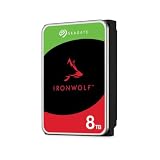
CMR NAS drives rated for 24/7 use: Seagate IronWolf, WD Red Plus, Toshiba N300 or their Pro variants. Our drive picks for the DH4300 Plus with live prices show which of those currently offers the best capacity per dollar. If you are working back from a target capacity instead, the drive-count calculator works out how many drives you need.
Frequently asked questions
How much storage is left in the DH4300 Plus with 4 × 8 TB?
About 21.83 TiB usable (24 TB in drive-maker terms), computed in RAID 5, the sensible default for this model. It survives 1 drive failing. The gap from the 32 TB raw goes to parity.
Which RAID types does the DH4300 Plus support?
UGOS Pro offers Basic, JBOD, RAID 0, RAID 1, RAID 5, RAID 6, RAID 10 on the DH4300 Plus. There is no flexible RAID like Synology's SHR here, so mixed drive sizes cost the DH4300 Plus real capacity: every drive counts only as much as the smallest in the array.
Can I put third-party drives in the DH4300 Plus?
Open. UGREEN mandates no drive brand. The compatibility list is a recommendation, not a lock.
How much memory does the DH4300 Plus take?
It ships with 8 GB (LPDDR4X, soldered). Soldered, not upgradeable The memory is soldered and cannot be upgraded.
Why does my NAS show less than the calculator says?
Because the maker and the OS count differently. A drive maker calls one trillion bytes a TB; the NAS counts in powers of two and calls that a TiB, about 9 percent less. That is why this calculator leads with the TiB figure: it is the number you will read off the screen.
Devin Chua works out which drives, RAM and NVMe cache fit which NAS model at nasdrives.ca, and what the RAID choice means for usable capacity, checked against what is in stock on Amazon.ca.
 Data checked by Owen Nakamura, Technical editor (data checking)