Prebuilt vs DIY NAS: the Canadian comparison
 By Ryan Fournier · Reviewed by Claire Bergeron · Updated · Prices checked
 A prebuilt four-bay NAS (Synology, UGREEN) costs roughly CA$550 to CA$1,000 without drives and arrives finished with a polished app suite and vendor support. A DIY N100 build costs about CA$450 to CA$650 for more CPU and RAM headroom and standard, replaceable parts, but you assemble and maintain it. Buy prebuilt for a finished product; build for hardware per dollar and ECC/ZFS freedom.
Prebuilt vs DIY NAS, at a glance
| Prebuilt (Synology/UGREEN) | DIY (N100 build) | |
|---|---|---|
| Cost, no drives (CAD) | CA$550–1,000 | CA$450–650 |
| Setup effort | ~30 min, guided wizard | build + configure it yourself |
| Software / apps | polished (DSM, UGOS) | TrueNAS / Unraid / Linux |
| Support & warranty | whole-unit warranty + support | per-part warranty, self-support |
| CPU / RAM per dollar | less | more |
| ECC / ZFS freedom | limited (some Synology ECC) | full: your choice |
| Repairs | RMA the whole box | swap a part locally |
| Best for | most people | tinkerers, ECC/ZFS builders |
The verdict: which should you buy?
What you pay in Canada
Prebuilt four-bay units land around CA$550 to CA$1,000 without drives depending on brand and CPU: a UGREEN DXP4800 Plus or Synology DS925+ sit in that band. A comparable DIY N100 build is roughly CA$450 to CA$650. The DIY box usually gives you more CPU and RAM ceiling per dollar; the prebuilt gives you a finished appliance.
Add the same CMR drives to either: at larger capacities the drives dominate the total, so a CA$150 difference on the NAS itself is a footnote once you are buying four 16 TB drives.
What the prebuilt gives you
Time and support. A Synology runs its setup wizard and you are done; DSM's Photos, Drive and Surveillance Station apps are genuinely good and have no turnkey DIY equal. You get a warranty on the whole unit and a support line. For most households that convenience is worth the premium.
The catch to check first is the drive policy: Synology's 2025 restriction was reversed for hard drives in DSM 7.3, but always confirm the current rule for your model before buying; the per-model pages cover it.
What DIY gives you
Hardware per dollar, standard parts, and freedom of software: TrueNAS with ECC, Unraid with mixed drives, or plain Linux. Nothing is locked, and a failed part is a trip to Canada Computers, not an RMA of the whole box. The cost is your time to build and maintain it.
The clearest case for DIY is ECC ZFS: no consumer prebuilt in this class offers ECC on an expandable platform. If that matters to you, build. See the N100 build and the TrueNAS hardware guide.
As an Amazon Associate we earn from qualifying purchases on Amazon.ca.
NAS drives on Amazon.ca by CA$/TB
Whichever model you choose, it needs CMR NAS drives rated for 24/7 use. These are the current best value per terabyte, live from Amazon.ca in Canadian dollars.
| Model | Capacity | Recording | Price | CA$/raw TB | |
|---|---|---|---|---|---|
 Western Digital 20TB WD Red Pro NAS Internal Hard Drive HDD - 7200 RPM, SATA 6 Gb/s, CMR, 512 MB Cache, 3.5" - WD202KFGXNewbest price per TB CMR recording, SATA NAS drive rated for 24/7 use Amazon.ca · sold by Amazon.ca · one bare internal drive; shipping and taxes not included · checked Oct 15, 2026CA$1,201Buy on Amazon | 20 TB | CMR ✓ | CA$1,201 | CA$60.03/TB | Buy on Amazon |
 Western Digital 22TB WD Red Pro NAS Internal Hard Drive HDD - 7200 RPM, SATA 6 Gb/s, CMR, 512 MB Cache, 3.5" - WD221KFGXNew CMR recording, SATA NAS drive rated for 24/7 use Amazon.ca · sold by Amazon US · one bare internal drive; shipping and taxes not included · checked Oct 15, 2026 · ships from the US through Amazon.caCA$1,452Buy on Amazon | 22 TB | CMR ✓ | CA$1,452 | CA$66.00/TB | Buy on Amazon |
 Western Digital 16TB WD Red Pro NAS Internal Hard Drive HDD - 7200 RPM, SATA 6 Gb/s, CMR, 256 MB Cache, 3.5" - WD161KFGXNew CMR recording, SATA NAS drive rated for 24/7 use Amazon.ca · sold by Amazon.ca · one bare internal drive; shipping and taxes not included · checked Oct 15, 2026CA$1,060Buy on Amazon | 16 TB | CMR ✓ | CA$1,060 | CA$66.25/TB | Buy on Amazon |
 Seagate IronWolf Pro 14TB Enterprise NAS Internal HDD Hard Drive – CMR 3.5 Inch SATA 6Gb/s 7200 RPM 256MB Cache for RAID Network Attached Storage, Rescue Services - FFP (ST14000NTZ01)New CMR recording, SATA NAS drive rated for 24/7 use Amazon.ca · sold by Deals2You · one bare internal drive; shipping and taxes not included · checked Oct 15, 2026CA$930Buy on Amazon | 14 TB | CMR ✓ | CA$930 | CA$66.43/TB | Buy on Amazon |
 Western Digital 12TB WD Red Pro NAS Internal Hard Drive HDD - 7200 RPM, SATA 6 Gb/s, CMR, 512 MB Cache, 3.5" - WD122KFBXNew CMR recording, SATA NAS drive rated for 24/7 use Amazon.ca · sold by Amazon US · one bare internal drive; shipping and taxes not included · checked Oct 15, 2026 · ships from the US through Amazon.caCA$815Buy on Amazon | 12 TB | CMR ✓ | CA$815 | CA$67.94/TB | Buy on Amazon |
 Western Digital 4TB WD Red Plus NAS Internal Hard Drive HDD - 5400 RPM, SATA 6 Gb/s, CMR, 128 MB Cache, 3.5" - WD40EFZZNew CMR recording, SATA NAS drive rated for 24/7 use Amazon.ca · sold by Amazon.ca · one bare internal drive; shipping and taxes not included · checked Oct 15, 2026CA$275Buy on Amazon | 4 TB | CMR ✓ | CA$275 | CA$68.75/TB | Buy on Amazon |
 HD 18TB N300 PRO NAS 3.5 in 7200RPM SATA III TOSHIBA HDWG81JXZSTBNew CMR recording, SATA NAS drive rated for 24/7 use Amazon.ca · sold by Canada Direct - Often Ships Same Day! · one bare internal drive; shipping and taxes not included · checked Oct 15, 2026CA$1,253Buy on Amazon | 18 TB | CMR ✓ | CA$1,253 | CA$69.61/TB | Buy on Amazon |
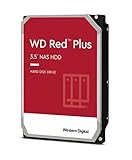 Western Digital 3TB WD Red Plus NAS Internal Hard Drive HDD - 5400 RPM, SATA 6 Gb/s, CMR, 256 MB Cache, 3.5" -WD30EFPXNew CMR recording, SATA NAS drive rated for 24/7 use Amazon.ca · sold by Generic Computer · one bare internal drive; shipping and taxes not included · checked Oct 15, 2026CA$210Buy on Amazon | 3 TB | CMR ✓ | CA$210 | CA$70.00/TB | Buy on Amazon |
 Seagate IRONWOLF 6TB NAS 3.5IN 6GB/S SATA 256MBNew CMR recording, SATA NAS drive rated for 24/7 use Amazon.ca · sold by Compute4Less Corp · one bare internal drive; shipping and taxes not included · checked Oct 15, 2026CA$423Buy on Amazon | 6 TB | CMR ✓ | CA$423 | CA$70.50/TB | Buy on Amazon |
 Western Digital 24TB WD Red Pro NAS Internal Hard Drive HDD - 7200 RPM, SATA 6 Gb/s, CMR, 512 MB Cache, 3.5" - WD241KFGXNew CMR recording, SATA NAS drive rated for 24/7 use Amazon.ca · sold by Amazon US · one bare internal drive; shipping and taxes not included · checked Oct 15, 2026 · ships from the US through Amazon.caCA$1,697Buy on Amazon | 24 TB | CMR ✓ | CA$1,697 | CA$70.71/TB | Buy on Amazon |
 HD 14TB N300 PRO NAS 3.5 in 7200RPM SATA III TOSHIBA HDWG81EXZSTBNew CMR recording, SATA NAS drive rated for 24/7 use Amazon.ca · sold by Canada Direct - Often Ships Same Day! · one bare internal drive; shipping and taxes not included · checked Oct 15, 2026CA$992Buy on Amazon | 14 TB | CMR ✓ | CA$992 | CA$70.87/TB | Buy on Amazon |
 Toshiba N300 PRO 8TB Large-Sized Business NAS (up to 24 Bays) 3.5-Inch Internal Hard Drive - Up to 300 TB/Year Workload Rate CMR SATA 6 GB/s 7200 RPM 512 MB Cache - HDWG780XZSTBNew CMR recording, SATA NAS drive rated for 24/7 use Amazon.ca · sold by OneDealOutlet Canada · one bare internal drive; shipping and taxes not included · checked Oct 15, 2026CA$572Buy on Amazon | 8 TB | CMR ✓ | CA$572 | CA$71.51/TB | Buy on Amazon |
Read more
Frequently asked questions
Is a DIY NAS cheaper than a Synology in Canada?
Usually a little, and with more CPU and RAM headroom for the money: an N100 build runs roughly CA$450–650 vs CA$550–1,000 for a prebuilt four-bay. But the prebuilt includes the app suite, support and warranty on the whole unit, which the DIY route does not.
Should a first-time buyer build or buy?
Buy. A prebuilt Synology or UGREEN gets you running in 30 minutes with polished apps. Build once you want ECC, ZFS, or simply enjoy the hardware.
Ryan Fournier covers home-server hardware and efficiency at nasdrives.ca: the right power supply, the UPS, and what a NAS actually draws running around the clock, priced against Canadian hydro rates.
 Reviewed by Claire Bergeron, Editor-in-chief