Minisforum N5 Pro: capacity calculator
 By Devin Chua · Data checked by Owen Nakamura · Updated · Prices checked
 In the Minisforum N5 Pro with 5 × 8 TB in RAID 5 you keep 29.10 TiB usable (32 TB in drive-maker terms), surviving 1 drive failing. The calculator below is preset to the 5 bays and the RAID types MinisCloud OS actually offers on this model (there is no SHR equivalent here), with the cost to fill in Canadian dollars from live Amazon.ca prices.
As an Amazon Associate we earn from qualifying purchases on Amazon.ca.
Preset for the N5 Pro: 5 bays, and only the RAID types this model actually supports.
RAID 1 (Mirroring)
That is 8 TB the way drive makers label capacity. Your NAS shows you the smaller number because it counts in powers of two.
Drives: from CA$2,860 for 5 × 8 TB (CA$71.51/TB overall)

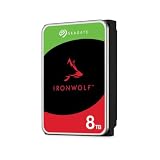
 Toshiba N300 PRO 8TB Large-Sized Business NAS (up to 24 Bays) 3.5-Inch Internal Hard Drive - Up to 300 TB/Year Workload Rate CMR SATA 6 GB/s 7200 RPM 512 MB Cache - HDWG780XZSTBCA$5728 TB · CA$71.51/TBBuy on Amazon


How the N5 Pro result is calculated
- RAID 1: the size of the smallest drive; survives all but one drive failing.
- RAID 5: (number of drives − 1) × the smallest drive; survives one drive failing.
- RAID 6: (number of drives − 2) × the smallest drive; survives two drives failing.
- RAID 0: total of all drives at the size of the smallest; no drive may fail.
Usable TiB = usable TB × 0.9095 (1012 ÷ 240), which is what the N5 Pro reports. File-system overhead and snapshots take a little more.
Reserve NVMe space for AI models
Plan the N5 Pro’s storage in two tiers. The 5 bays hold files, photos and backups; AI models belong on the NVMe/U.2 tier, where they load in seconds. Every model on our list the N5 Pro runs comfortably at 96 GB comes to 148 GB on disk (12 models, the largest Llama 3.3 70B); an everyday set of four (Llama 3.2 3B, Qwen3 4B, Llama 3.1 8B, Gemma 3 12B) is 18 GB. A 500 GB NVMe drive holds either with room for new versions. NVMe picks for the N5 Pro ›
What the calculator leaves out on the N5 Pro
The figures above cover the 5 drive bays. The N5 Pro’s 3 SSD slots (up to 38 TB between them) are a second tier that sits outside the array: that is where AI models, containers and the app database belong. Full specifications, every configuration’s price and what it runs are on the Minisforum N5 Pro page; drive picks with live prices are on best drives for the N5 Pro.
MinisCloud OS on the N5 Pro offers RAID 0, RAID 1, RAID 5, RAID 6. Minisforum lists "RAID0, RAID1, RAID5/RAIDZ1, RAID6/RAIDZ2 and mixed drive strategies". Minisforum does not list RAID 10 for the N5 Pro, so for redundancy across all 5 bays the choice is RAID 5 or RAID 6.
No SHR: mixed drive sizes cost the N5 Pro capacity
MinisCloud OS has no flexible RAID like Synology's SHR. Put one 16 TB drive with three 8 TB drives in the N5 Pro and it counts 8 TB per drive, so eight terabytes sit idle. So buy matched drives for the N5 Pro, or work the loss out in the calculator above before you commit to this model; the "unused" figure shows exactly how much you would lose.
RAID 5 or RAID 6 across the N5 Pro's 5 bays?
RAID 5 keeps 4 of the N5 Pro’s 5 drives as usable space and survives one failure; RAID 6 keeps 3 and survives two. Set the calculator to your drive size and compare: with 20 TB drives and up, a rebuild reads every surviving drive end to end for the better part of a day, and RAID 6 is the safer trade on the N5 Pro.
Frequently asked questions
How much storage is left in the N5 Pro with 5 × 8 TB?
About 29.10 TiB usable (32 TB in drive-maker terms), computed in RAID 5, the sensible default for this model. It survives 1 drive failing. The gap from the 40 TB raw goes to parity.
Which RAID types does the N5 Pro support?
MinisCloud OS offers RAID 0, RAID 1, RAID 5, RAID 6 on the N5 Pro. There is no flexible RAID like Synology's SHR here, so mixed drive sizes cost the N5 Pro real capacity: every drive counts only as much as the smallest in the array.
Can I put third-party drives in the N5 Pro?
No published list and no lock. Minisforum links no drive compatibility list from the N5 Pro page (checked 30 September 2026) and states no brand restriction; any CMR NAS drive up to its stated 30 TB per bay is the safe choice.
Does the N5 Pro's SSD space count in this calculator?
No. The calculator covers the 5 drive bays only. The N5 Pro's 3 SSD slots are a separate tier (up to 38 TB between them), best used for AI models, apps and containers rather than as part of the array.
Why does my NAS show less than the calculator says?
Because the maker and the OS count differently. A drive maker calls one trillion bytes a TB; the NAS counts in powers of two and calls that a TiB, about 9 percent less. That is why this calculator leads with the TiB figure: it is the number you will read off the screen.
Devin Chua works out which drives, RAM and NVMe cache fit which NAS model at nasdrives.ca, and what the RAID choice means for usable capacity, checked against what is in stock on Amazon.ca.
 Data checked by Owen Nakamura, Technical editor (data checking)